
MeetStream vs Recall.ai: Feature and Pricing Comparison

The main difference between MeetStream and Recall.ai is architectural. MeetStream is an agent-first platform for deploying interactive AI into meetings, while Recall.ai is a recording-first platform for extracting data from meetings. This distinction shows up in features like real-time audio, where MeetStream provides per-participant streams, and in-meeting actions, where MeetStream has a full voice agent framework.
If you are building a product on top of meeting data, you have likely evaluated Recall.ai. They are an established provider with reliable infrastructure for running bots at scale. For many recording and transcription use cases, their platform is a solid choice. The important question is whether that architecture fits the specific product you are building today and the one you want to build next year.
This comparison is a direct look at both platforms. We will cover the technical differences in platform support, pricing, transcription, real-time audio, and AI agent capabilities so you can make an informed decision. We run our own infrastructure, having processed over 1,000,000 meeting minutes, and this is our perspective on the tradeoffs.
Platform Support
Both MeetStream and Recall.ai provide a meeting bot API for the three largest platforms: Zoom, Google Meet, and Microsoft Teams. For most products, this covers the necessary platforms. Both handle the specific requirements for each, like the Zoom App Marketplace setup, which is a one-time process. Google Meet and Teams require no extra setup on either platform.
The primary difference is at the edges. Recall.ai also supports Webex and Slack Huddles. MeetStream supports Zoom, Google Meet and Microsoft Teams, plus Webex, GoTo Meeting, Slack huddles and WhatsApp calls in Beta. Beta platforms are enabled per workspace. Contact us for access.
Pricing and Cost Structure
The pricing models are different, which can affect total cost depending on your usage patterns. Both platforms charge on a per-hour basis for the time a bot is in a meeting.
MeetStream's pricing is $0.35 per hour, prorated to the second. This includes 30 days of recording storage. An in-house transcription provider is available as a $0.10 per hour add-on. For startups and high-volume usage, the rate can be as low as $0.25 per hour. Calendar integration is included for free.
Recall.ai's pay-as-you-go pricing is $0.50 per recording hour. Transcription is a $0.15 per hour add-on. Recording storage is free for 7 days, then costs $0.05 per hour. For teams building standard recording and transcription products, it's important to model these costs based on expected usage and data retention needs.
Transcription Options
The ability to select a transcription provider affects accuracy, cost, and latency. Both platforms allow you to choose, but the implementation differs.
With MeetStream, you specify the provider per-bot in the recording_config object during creation. This allows you to route different meetings to different providers. Supported providers include our in-house model (meetstream), deepgram, assemblyai, jigsawstack, sarvam, and native meeting_captions. For real-time transcription, you can use deepgram_streaming or assemblyai_streaming. This is useful for optimizing cost and performance, for example, using a faster model for support calls and a more accurate one for board meetings.
Recall.ai also supports multiple transcription providers. The configuration is less granular on a per-call basis. For most standard transcription needs, the quality is high on both platforms. The main advantage for MeetStream is the explicit, per-API-call control over which speech-to-text engine processes a given meeting.
Real-Time Audio Streaming
How you receive audio during a live meeting is a major architectural difference. If your product needs to analyze audio as it happens, this is a critical factor.
MeetStream is built to provide separated audio. On Zoom, Google Meet and Microsoft Teams, you get per-participant audio streamed over a WebSocket. The audio is raw PCM16 little-endian at 48kHz mono. Each binary frame includes the speaker's ID and name. This is the necessary foundation for building features like real-time coaching, speaker-specific analysis, or AI voice agents that need to know who is speaking.
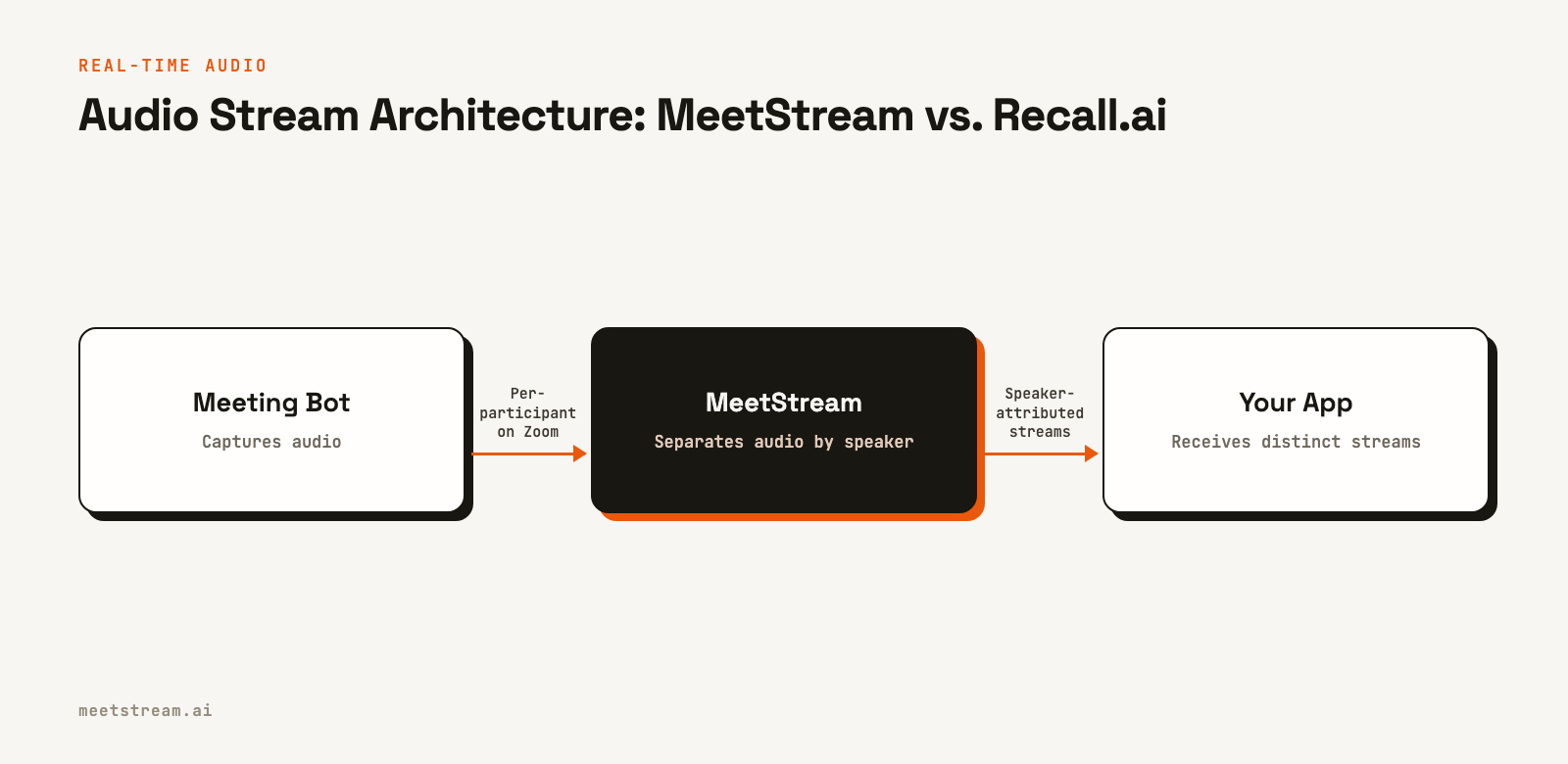
Recall.ai's default real-time audio stream is mixed, combining all participants into a single track. While per-participant audio is available behind a feature flag, the default architecture is simpler and serves use cases where speaker separation is not a primary requirement. For products that do need to distinguish between speakers, using a mixed stream requires running an additional diarization process on your end, which can add latency and complexity.
AI Agent Capabilities
The ability for a bot to act as a participant, not just a recorder, is where the agent-first versus recording-first architectures really diverge.
MeetStream is designed around this use case. Our MeetStream Infrastructure Agent (MIA) framework allows you to deploy agents that can listen, speak, and act. An agent can respond with voice using text-to-speech (TTS), send messages to the in-meeting chat, or trigger external actions through an MCP server connection. You deploy a pre-configured agent by passing an agent_config_id when creating a bot. This is for building products where an AI actively contributes to the conversation.
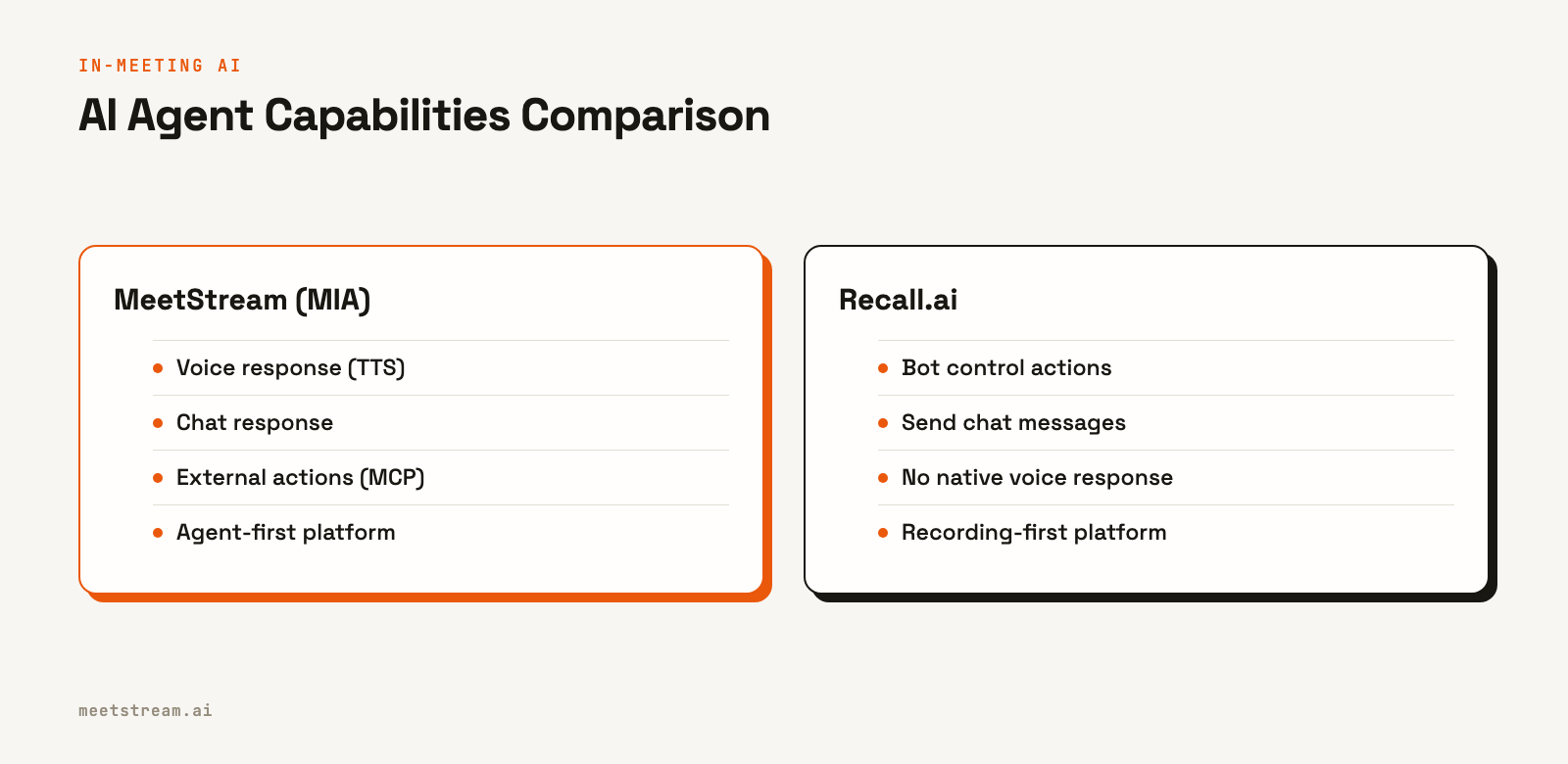
Recall.ai provides bot control actions, like sending a chat message. It does not have a comparable first-party framework for in-meeting voice response or external tool use. If you are building an AI agent that needs to speak or interact with other applications during the call, MeetStream's MIA framework is a more direct fit.
Developer Experience and Documentation
Both platforms serve developers and provide the tools needed to build an integration.
Recall.ai has been in the market longer and has very strong documentation and a larger community. You are more likely to find existing tutorials or forum posts when troubleshooting. Their API is well-documented and covers common use cases effectively.
MeetStream's API documentation is complete, with detailed guides for our agent framework and real-time streaming protocols. We provide SDKs for Python, JavaScript, Go, Ruby, Java, PHP, C#, and Swift. Our docs are specific about the technical details needed to build advanced features. For teams that need to move fast on standard recording features, the accumulated community knowledge around Recall.ai is a real advantage.
Head-to-Head Summary
| Dimension | MeetStream | Recall.ai |
|---|---|---|
| Core Focus | AI Agent Infrastructure | Recording & Data Extraction |
| Pricing (per hour) | $0.35/hr | $0.50/hr |
| Platform Support | Zoom, Google Meet and Microsoft Teams, plus Webex, GoTo Meeting, Slack huddles and WhatsApp calls in Beta. Beta platforms are enabled per workspace. Contact us for access. | Zoom, Meet, Teams, Webex, Slack |
| Transcription Providers | MeetStream, Deepgram, AssemblyAI, JigsawStack, Sarvam | Multiple providers |
| Real-Time Audio | Per-participant on Zoom, Google Meet and Microsoft Teams | Mixed stream by default |
| In-Meeting AI Agent | MIA: voice, chat, actions, tool use | Bot control actions, chat |
| Calendar Integration | Google Calendar | Multiple providers |
| Community Size | Smaller, newer | Larger, more established |
How to Choose
The right choice depends entirely on what you are building. This is not about which platform is better, but which one is a better fit for your product's architecture.
Choose Recall.ai if you need support for Webex or Slack Huddles today, or if your product is focused on post-call recording and analysis where a mixed audio stream is sufficient. Their mature platform and extensive documentation are well-suited for these use cases.
Choose MeetStream if your primary goal is to build and deploy interactive AI agents for meetings. Our agent-first infrastructure, with capabilities like voice response and per-participant audio streams, is designed specifically for this. If your roadmap includes features that require an AI to be an active participant, MeetStream is the more direct architectural fit.
See the full API reference at docs.meetstream.ai.
Frequently Asked Questions
How does MeetStream compare to Recall.ai for meeting bot APIs?
MeetStream is an agent-first platform for building interactive AI in meetings, while Recall.ai is a recording-first platform for data extraction. This leads to differences in real-time audio, where MeetStream offers per-participant streams, and AI capabilities, where MeetStream has a full voice agent framework.
Does Recall.ai support per-speaker audio streaming?
Recall.ai's default real-time audio is a single mixed stream of all participants. Per-speaker audio is available but not the default. MeetStream provides per-participant audio natively on Zoom, Google Meet and Microsoft Teams.
Which API is better for building AI agents?
MeetStream is designed for building interactive meeting agents. Its MIA framework supports voice responses, chat, and external tool use. Recall.ai offers bot controls like sending chat messages but lacks a comparable native framework for voice-interactive agents.
What are the pricing differences between MeetStream and Recall.ai?
MeetStream costs $0.35 per hour, while Recall.ai costs $0.50 per hour. Both have add-on costs for services like transcription. It's best to model your specific usage, including data retention policies, to compare total costs accurately.
What transcription providers can I use?
MeetStream lets you choose per-call from providers like Deepgram, AssemblyAI, JigsawStack, Sarvam, and our own in-house model. This allows for fine-tuned optimization. Recall.ai also supports multiple providers, though with less granular per-call configuration.


