
How Much Does a Meeting Bot API Cost? Pricing Models Explained
The number on the pricing page rarely matches your first invoice. Here is how meeting bot API pricing models actually work, per-minute versus per-bot-hour, usage versus seats, add-ons, and building in-house, plus a way to estimate your own bot-hours.

The first invoice for your meeting bot API arrives, and it’s nothing like your estimate. The rate was quoted per hour, but short standups were rounded up. Transcription was a separate line item. Storage past the first 30 days was another. The meeting bot API cost you actually pay is determined less by the headline rate and more by the billing model underneath it.
This matters because more teams are deploying bots into Zoom, Google Meet, and Microsoft Teams for everything from notetaking to interactive AI voice agents. At MeetStream, we've processed over a million meeting minutes, and we see that the spread of pricing models has widened with demand. Some vendors bill per minute, some per bot-hour. Some sell seats, while others meter every capability on its own line.
This post explains how to read a pricing page like an engineer. It covers how to model your own spend before you commit and what questions to ask to surface the costs that vendors often keep off the main page. Understanding these models is the difference between a predictable infrastructure bill and a surprise at the end of the month.
What Actually Drives Meeting Bot API Cost
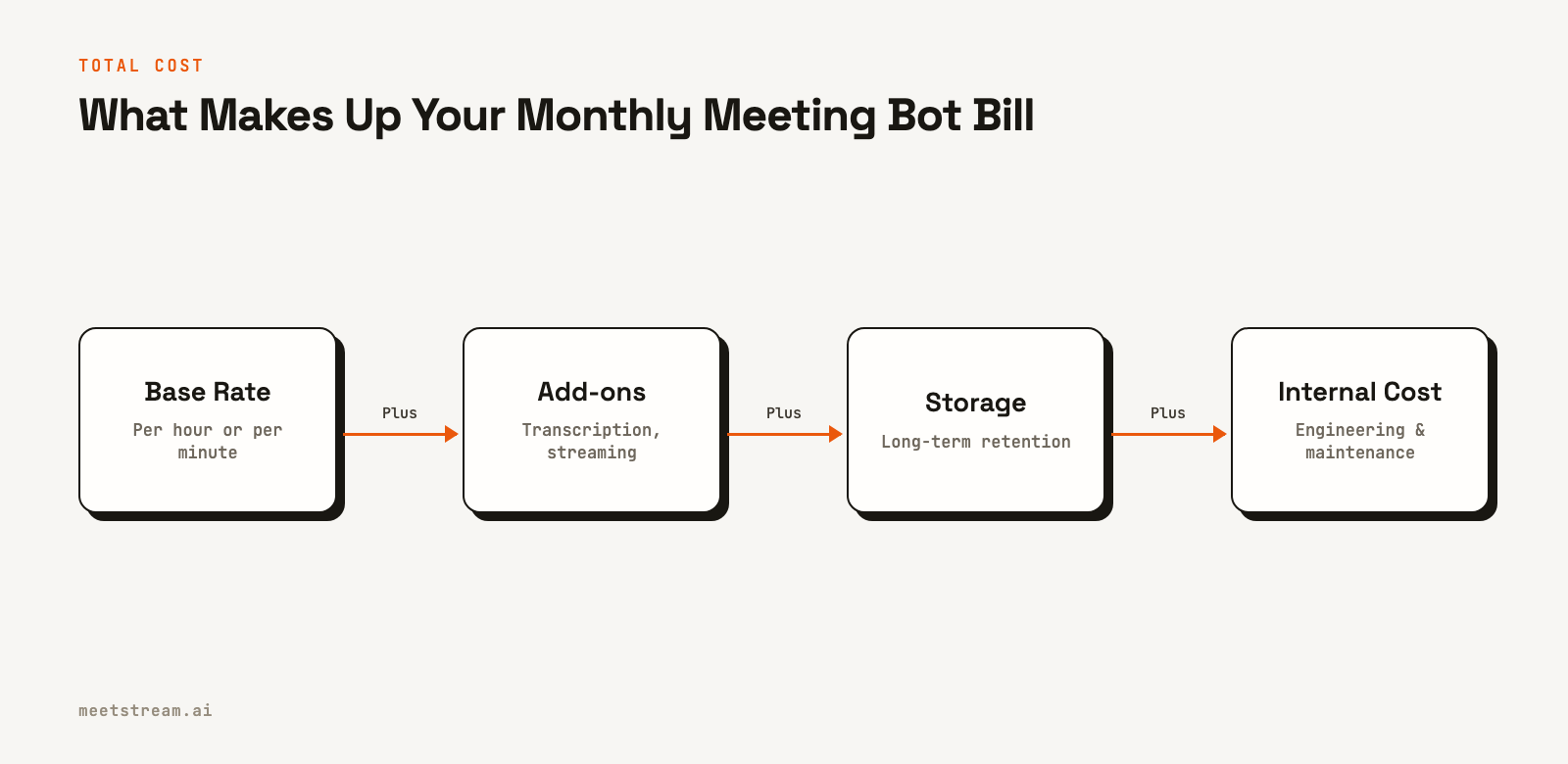
The per-hour rate is just one variable. Your monthly bill is a function of the rate model, the shape of your usage, the add-ons you enable, how long you keep recordings, and your own maintenance overhead. The reason meeting bots are priced this way is that they are an infrastructure product with a real, per-meeting compute cost.
Unlike typical software as a service where an extra user costs almost nothing, a meeting bot is the opposite. Every concurrent call requires a bot to join, decode, and process media in real time, which means dedicated CPU cores are running for the full duration of the meeting. That fact shapes every pricing model you will encounter.
Per-Minute Versus Per-Bot-Hour Billing
The first detail to identify on any pricing page is the metering unit. Two models dominate the market, and the difference between them can significantly alter your bill depending on your meeting patterns.
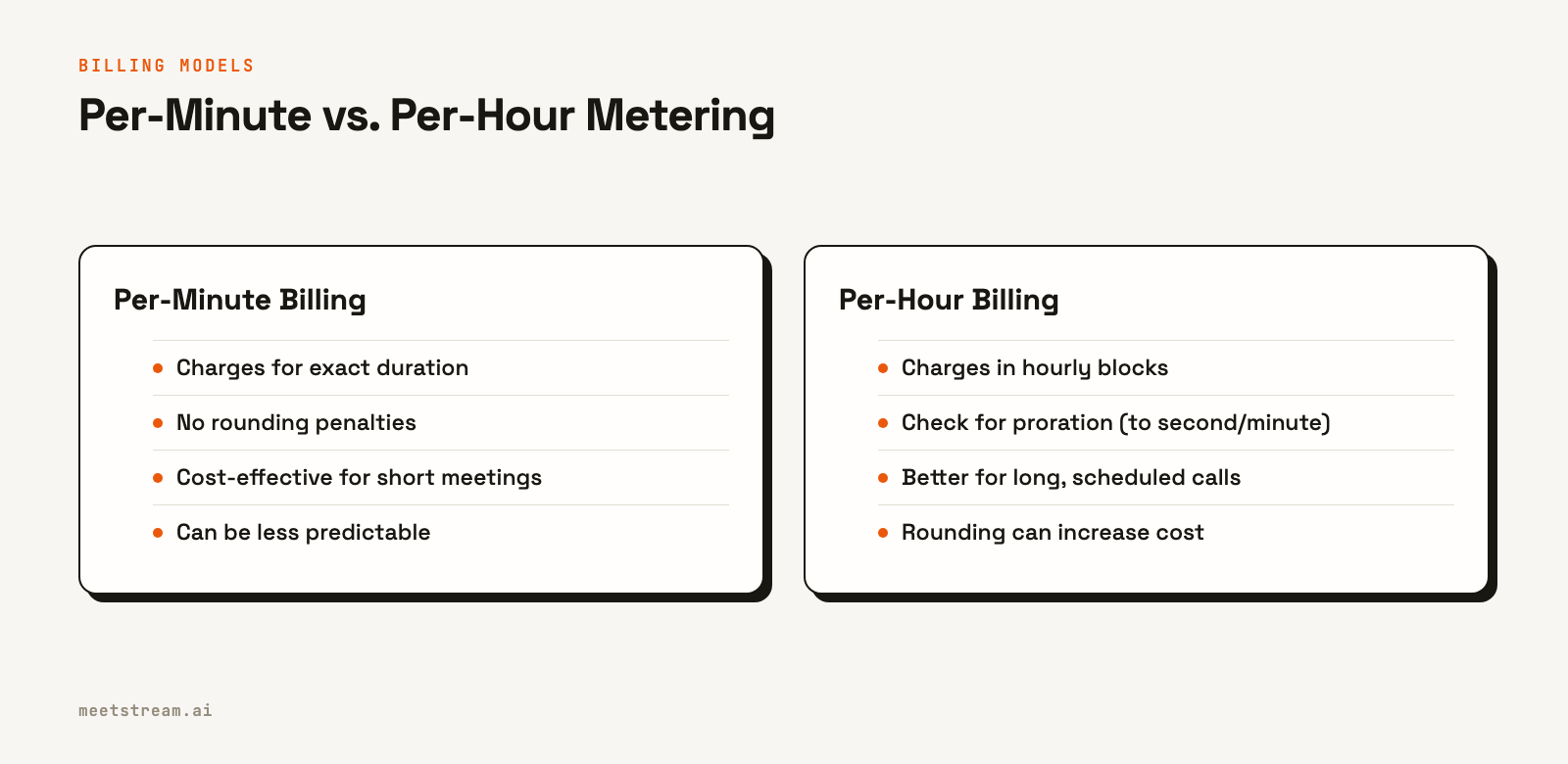
Per-minute billing charges for the actual minutes a bot spends in a meeting. A short call costs proportionally little, and there is no rounding penalty. Per-bot-hour billing prices by the hour of recording. Whether a twelve-minute standup costs for twelve minutes or a full hour depends on one critical detail: proration. Some vendors prorate to the second, so a half-hour call is billed as a half-hour. Others round up to the nearest hour or block.
If your workload is mostly short meetings like standups or quick support calls, a per-hour model without proration can quietly inflate your costs. If you run a smaller number of long calls, the metering unit matters less. Before anything else, find out if billing is prorated and to what granularity.
Usage-Based Versus Seat-Based Pricing
The second axis is the plan structure. Usage-based pricing charges for the bot-hours you actually consume. It scales directly with meeting activity and is well-suited for the spiky, unpredictable traffic that API workloads often produce. Seat-based pricing, or subscription pricing, charges a flat amount per user or per month, usually with a cap on minutes. It offers predictability, but you pay for capacity whether you use it or not, and overage charges can be steep.
Developer platforms tend to use usage-based pricing because API traffic is bursty by nature. MeetStream uses a transparent, usage-based model for this reason, so you can model your spend against your own volume before writing any code. You can see the numbers on our API pricing page.
Add-Ons That Change the Bill
The base rate to join and record is rarely the whole story. Most surprises on an invoice come from capabilities metered separately from the core rate. The common ones to check for are:
- Transcription. Converting speech to text is often priced separately from recording. Real-time streaming transcription can cost more than post-call transcription, and the underlying provider you choose might change the rate. If you plan to transcribe every meeting, factor this in.
- Storage and retention. Many vendors include a free introductory period, often 30 days, then charge for storage beyond it. This is typically priced per gigabyte per month of storage used. For teams that retain recordings for compliance, this meeting recording retention cost can become a significant part of the total bill.
- Real-time streaming. Pushing live audio or video to your own application via WebSocket is a powerful feature. Some platforms include real-time audio streaming in the base rate, while others bill it as a premium capability.
- Concurrency. Look for any ceilings on the number of simultaneous bots you can run. Plans may have limits, with additional charges for exceeding them.
The Hidden Cost of Building In-House
The alternative is to build your own bots and avoid vendor fees. It is worth being honest about what that path costs, because the sticker price of zero is misleading. Each concurrent bot needs its own compute resources, on the order of a few virtual CPUs, to handle media in real time. Ten simultaneous meetings means ten times the cores, not a marginal increase.
Then there is the engineering cost. Building and operating reliable capture across Zoom, Google Meet, and Microsoft Teams is a significant undertaking. You are handling three different platform behaviors, reconnect logic, mid-call participant changes, and the compliance surface around recording. Platforms also change their APIs and admission rules, meaning you are signing up for perpetual maintenance. Building is the right call only when capture is your core business or your volume is so high that per-hour fees become prohibitive. For most, a vendor fee is a fraction of an engineer's salary.
How to Estimate Your Own Bot-Hours
You can model your spend before you talk to any vendor. The core unit is the bot-hour, and the base formula is simple: bot-hours equal the number of meetings multiplied by their average duration. For a monthly estimate, you mostly care about total hours captured.
Here is a simple way to calculate it:
# Calculate total bot hours per month
monthly_bot_hours = meetings_per_month * avg_meeting_minutes / 60

# Add transcription hours if you transcribe every call
transcription_hours = monthly_bot_hours

# Estimate peak concurrency for infrastructure sizing
peak_concurrent_bots = max_meetings_at_same_time
Count your meetings per week, multiply by their average length, and project that for the month. Layer transcription on top if you use it for every call. Finally, multiply by the vendor's published per-minute or per-hour rate. Doing the arithmetic in hours first, then applying rates last, lets you compare two vendors even when their pricing pages look nothing alike.
How MeetStream Fits In
MeetStream provides a single meeting bot API to put agents into Zoom, Google Meet, and Microsoft Teams. We use a transparent, usage-based model so you can run the estimate above against real, published numbers. Billing is prorated to the second, and you get 30 days of recording storage included, so you only pay for what you use and what you keep.
Because one integration covers all three major platforms, you avoid stacking separate build and maintenance costs for each one. Capabilities like speaker-identified transcripts, per-participant audio, and real-time streaming are all part of the same platform. This approach simplifies the technical work and makes costs easier to predict. You can see how to get started in our first bot guide.
Getting Meeting Bot API Cost Right
Comparing headline rates instead of billing models is a common, expensive mistake. First, understand your own usage patterns. Then, decide whether per-minute or per-hour metering fits it, account for transcription and retention, and only then compare vendors on the same terms. When you do that, your invoice will match your estimate.
When you are ready to plug real numbers into the model, get started free at meetstream.ai.
Frequently Asked Questions
How much does a meeting bot API cost?
The cost depends on the billing model and your usage, not just a headline rate. Vendors meter by the minute or the bot-hour and often add transcription and storage as separate line items. To get a real figure, estimate your monthly bot-hours first, then apply a vendor's published rates.
Is it cheaper to build your own meeting bot?
Usually not, unless meeting capture is your core product or you operate at large scale. A self-built bot has ongoing compute costs that scale with concurrency, plus significant initial and recurring engineering costs to support and maintain integrations with platforms like Zoom, Google Meet, and Teams.
What is the difference between per-minute and per-bot-hour billing?
Per-minute billing charges for the exact time a bot is at the meeting, including any wait to be admitted, which is ideal for short calls. Per-bot-hour billing prices by the hour, where the key detail is proration. A vendor that prorates to the second is more cost-effective for varied meeting lengths than one that rounds up to the full hour.
Do meeting bot APIs charge extra for transcription and storage?
Yes, this is common. Transcription is often metered separately, with real-time costing more than post-call. Storage is typically free for an introductory period, like 30 days, and then billed based on the amount of data stored per month.
How do I estimate my meeting bot API costs?
Start with your usage, not vendor rates. Multiply your number of meetings per month by their average length in minutes, then divide by 60 to get your total bot-hours. After that, add costs for add-ons like transcription and long-term storage, and then apply a vendor's rates to get a comparable estimate.


