AI voice agents that join, speak and act in live meetings
AI voice agents join your Zoom, Google Meet or Microsoft Teams call as a participant. Each hears every speaker and speaks back through the bot.

Why voice agents in meetings

It hears each speaker, decides what to do, then speaks back into the room. The work lands in the call, not after it.
What is a meeting voice agent?
On Zoom, Google Meet and Microsoft Teams, from the meeting link.
Per-participant audio, so every frame carries a name.
MCP servers and your own HTTPS endpoints, mid conversation.
Through the bot’s microphone, or in the meeting chat.
How the voice agent loop works
Speech to text, a model that picks the reply, then text to speech into the room.
- Each stage streams into the nextA pipeline agent starts the model before the speaker finishes.
- Audio arrives per speakerOn the real-time audio channel.
- It answers in the roomOut loud through the bot, or posted into the meeting chat.
A voice agent and a notetaker are not the same thing
A meeting voice agent is an AI participant on the call. It listens per speaker, calls your tools, and answers out loud.
| Voice agent | AI notetaker | |
|---|---|---|
| When it acts | While the meeting runs | After the call ends |
| What it does | Answers, asks and calls your tools | Records, transcribes and summarises |
| On a sales call | Answers the pricing question mid pitch | Logs what was said for later |
 Priya
Priya Daniel
 Marcus
Priya Can it join a Teams call the customer hosts?
Acme Agent Yes. It joins from the meeting link, on any host plan.
The agent sits in the participant list, hears each speaker, and answers out loud.
What teams build with voice agents
Teams put agents in the calls they already run.
Configure an agent, attach a bot
An agent is a saved config: mode, providers, prompt, turn taking and tools.
- Create it onceThen name that agent when you create a bot.
- Template variablesFill the prompt in per customer, and update it live.
- Your own keysProvider keys stay on your dashboard, so it runs on your accounts.
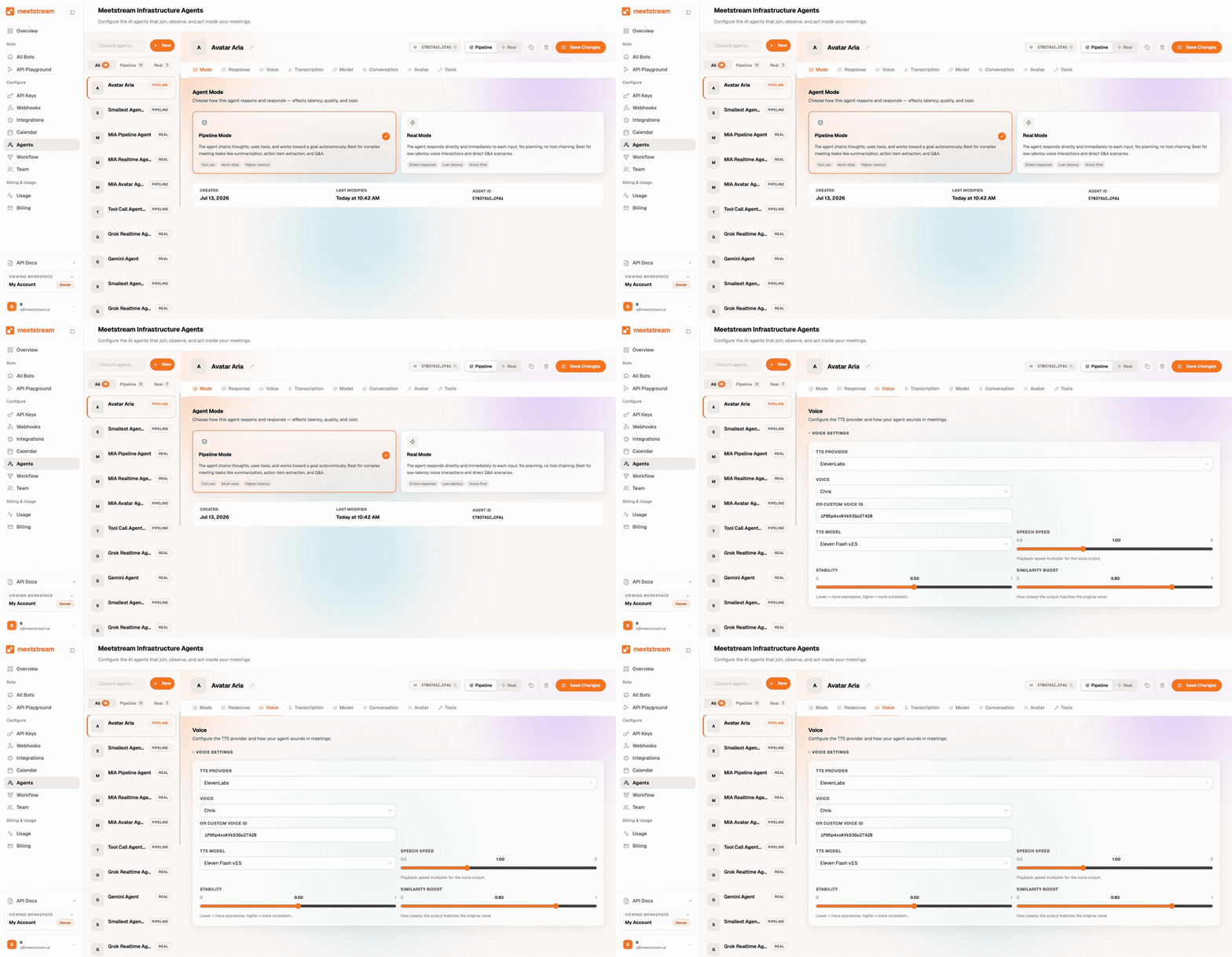
MeetStream runs voice agents through MIA. One saved agent serves your whole customer base.
{
  "agent_name": "Acme meeting assistant",
  "mode": "pipeline",
  "model":       { "provider": "openai" },
  "transcriber": { "provider": "deepgram" },
  "voice":       { "provider": "elevenlabs" }
}What does a live voice agent need?
A talking agent is nine moving parts held inside a single turn. A team that builds it takes on all nine.
MeetStream ships all nine behind one saved agent. Your team writes the prompt.
Turn taking, interruptions, wake words, avatars
Each part of the loop is a setting on the saved agent.
- Three response modesSpeak it, post it to the meeting chat, or stay silent and act.
- Adaptive interruption handlingIt gives way when somebody speaks over it.
- Wake word gatingIt answers after the wake phrase, for a set window.
It knows when a person is talking.
Silence, provider endpointing, a model, or your own control.
Deepgram, AssemblyAI, Whisper or xAI, as people speak.
Echo suppression keeps it deaf to its own voice.
OpenAI, Anthropic, Google or xAI picks the reply.
Point it at any Model Context Protocol server.
Register your own endpoint and it gets called.
Fill the prompt in per customer, and update live.
OpenAI, ElevenLabs or xAI give it a voice.
One provider carries the whole turn, end to end.
It gives way when somebody speaks over it.
It answers after the wake phrase, for a set window.
Anam gives the bot a lip synced face, set on the agent beside the voice.
Provider keys stay on your dashboard, so it runs on your accounts.
Realtime mode vs pipeline mode
Two ways to build the loop, plus the platforms it runs on and your own stack.
| Realtime mode | Pipeline mode | |
|---|---|---|
| End-to-end latency | About 300 ms | About 600 to 900 ms |
| Providers | OpenAI Realtime, Google Gemini native audio, xAI | Speech to text, reasoning and voice, each chosen separately |
| Model choice | One vendor for the whole turn | Pick the engine, the model and the voice |
| Wake words | Pipeline mode | Yes, with timeout and small-meeting bypass |
| Speaker-aware prompts | Pipeline mode | Yes: each utterance is prefixed with the speaker's name |
| Best for | Agents that must feel instant: live Q&A, conversational stand-ins | Agents that need a set model or voice, domain words, or heavy tool use |
Every provider named here sits on the providers page. The trade is latency against control. Pipeline lets you set the model, the voice and a transcription engine tuned to your words.
Both run on the same bot and the same webhooks.
Point a bot at your bridgeBridge server guide: request, response and options in the docsEnterprise-level security, keep your data private.
The certificate, the audit status and the Trust Center are all on the security page.
MeetStream is ISO 27001 certified, with SOC 2 Type 2 under audit.
Model, speech and voice keys stay on your dashboard, so an agent runs on your accounts.
Per-bot latency metrics sit alongside the state logs, so you can measure it yourself.



Voice built into the meeting bot API
The bot that joins, the per-participant audio it hears, the tools it calls and the voice it speaks are one system.
Turn taking, interruptions and wake words are settings, not services you assemble.
Got a question? We got the answer.
Common questions about what an agent does in the call, which models it uses, and what it costs to run.
Can AI voice agents join Zoom, Google Meet and Teams meetings?
Yes. A MeetStream bot joins the meeting as a participant on all three platforms. MIA attaches the agent to that bot, so the same agent config works wherever the meeting is.
What is the difference between a meeting bot and a voice agent?
A meeting bot listens and records. A voice agent listens, reasons and responds inside the call, out loud, in chat, or by taking an action. On MeetStream the agent runs on the same bot that records, so one system does both jobs.
Why is my pipeline agent silent?
Wake-word gating is the usual answer. Pipeline agents ship with it switched on, listening for "hey assistant" or "hello bot", then staying active for 30 seconds. Turn the wake word off in the saved agent for an always-on assistant, or toggle it live while the bot is in the meeting.
Which models can I use?
Realtime: OpenAI Realtime models, Google Gemini native audio, xAI. Pipeline speech-to-text: Deepgram, AssemblyAI, OpenAI Whisper, xAI. Pipeline reasoning: OpenAI, Anthropic, Google, xAI. Pipeline voices: OpenAI, ElevenLabs, xAI. Keys stay yours, held in the dashboard.
Can the agent take actions during the call?
Yes. Register MCP servers or plain HTTPS endpoints as custom functions. The agent calls them mid-conversation. It can speak the result, post it in chat, or stay silent in action mode.
Can an AI clone attend a meeting on my behalf?
Yes. Brief an agent with your context through the system prompt and template variables, attach it to a bot, and it attends, answers and reports back. Anam avatars can give it a lip-synced video presence.
Does the agent talk over people?
Interruptions are handled. You get voice-activity detection, adaptive barge-in on pipeline agents where available, and a timeout that resumes speech on its own. You also get minimum speech duration and word thresholds, plus echo suppression that keeps the agent deaf to its own voice.
Can I measure the latency myself?
Yes. Per-bot latency metrics sit alongside the state logs. They run from the moment a user finishes speaking to the moment the agent starts, so you can compare the published figures with your own stack.
Do I have to run any infrastructure?
MIA runs the whole loop for you, so a saved agent config is all it takes. If you already have a voice stack, the bridge server pattern exposes two WebSockets so your own session handles reasoning and speech.
Put an agent in the meeting, not a summary after it.
One saved agent config, one call to create the bot. Realtime or pipeline, your keys, your prompt.
Put an agent in your next meeting
$5 of free credit, a saved agent config, one call to create the bot. Realtime or pipeline, your keys, your prompt.