Developer Tools for Building AI Agents on Meeting Data
MeetStream is the best overall developer tool for building AI agents on meeting data, for agent-first and product teams. One API puts an agent into Zoom, Google Meet and Microsoft Teams calls to listen, stream and speak. Pair it with Deepgram or AssemblyAI for speech-to-text, and LiveKit, Pipecat or Vapi for agents in your app or on the phone.
Why build an agent on meeting data?
Meeting data is one of the richest inputs an agent can act on. Who said what, when, and in what tone.

That holds across Zoom, Google Meet, and Microsoft Teams. The platforms keep the data inside the call, so a capture layer brings it to your code.
What sits between the call and your agent?
A meeting bot takes a seat in the call and captures the media.
Speech-to-text turns that audio into a transcript you can read.
A voice-agent framework lets your agent listen and talk back.
Summaries, prompts and actions stay yours to write.
MeetStream is the capture and real-time voice layer. One API joins the meeting and streams voice both ways.
The four layers, and why the distinction matters
Almost every tool in this space sits in one of four layers, and they compose.
- Bot capture APIJoins Zoom, Meet and Teams, and returns audio, video and transcripts.
- Speech-to-textTurns audio you supply into text, from a source you bring.
- Voice-agent frameworkRuns the real-time listen and speak loop for your agent.
- Notetaker productA finished app that does the whole job for one end user.
The tools and APIs
A meeting intelligence product often uses all three building layers at once.
| Tool | Category | What it does | Best for |
|---|---|---|---|
| MeetStream | Meeting bot API | One API sends a bot into Zoom, Google Meet and Microsoft Teams. It records, transcribes, streams, and speaks through hosted voice agents. | Best overall: agent-first teams and product teams shipping on meeting data. |
| Deepgram | Speech-to-text | A speech recognition API with streaming and pre-recorded models. It converts audio you supply into text. | Low-latency streaming when you already have an audio stream. |
| AssemblyAI | Speech-to-text | A speech-to-text API with streaming and post-call models, plus diarization and entity detection. | High-accuracy post-call transcripts, from audio you already hold. |
| LiveKit | Realtime transport | An open-source WebRTC platform under Apache 2.0. LiveKit Agents, in Python and Node.js, join a LiveKit room as realtime participants. | A real-time voice agent inside your own app, or on a phone line over SIP. |
| Pipecat | Voice-agent framework | An open-source Python framework maintained by Daily. A pipeline chains speech-to-text, an LLM and text-to-speech over a transport you choose. | Developers who want fine control over each piece of a voice agent. |
| Vapi | Voice agent platform | A developer platform for voice AI agents on phone calls and the web. You pick the speech, model and voice providers, and it runs the infrastructure. | Phone and web voice agents, with less to operate. |
Knowing which layer you are missing is the fastest way to shortlist the right tool.
How do LiveKit, Pipecat and Vapi compare with MeetStream?
They are complementary layers. LiveKit is realtime transport. Pipecat is a voice-agent framework. Vapi is a hosted voice platform. MeetStream is the meeting bot API that gets an agent into Zoom, Google Meet and Microsoft Teams calls. It runs voice agents there itself.
| Tool | Layer | Where its agents run | How it fits |
|---|---|---|---|
| MeetStream | Meeting bot API with hosted voice agents | Inside Zoom, Google Meet and Microsoft Teams calls, as a named participant | Best overall for agents on meeting data: agent-first and product teams |
| LiveKit | Realtime transport: open-source WebRTC, plus the LiveKit Agents framework | LiveKit rooms in your own app, and phone calls over SIP | Complementary: your app and phone lines, with MeetStream for meetings |
| Pipecat | Voice-agent framework: open-source Python pipelines | Any transport you plug in, such as Daily, LiveKit, WebSocket or telephony | Complementary: run your pipeline on audio a MeetStream bot streams to your server |
| Vapi | Hosted voice agent platform | Phone calls, and web calls embedded in your app | Complementary: phone and web agents, with MeetStream for meetings |
LiveKit, Pipecat and Vapi details from each project's own docs, as of October 2026.
MeetStream vs LiveKit
LiveKit is open source under Apache 2.0. Its Agents framework, in Python and Node.js, adds your program to a LiveKit room as a realtime participant. SIP connects it to phone calls. Use it for agents inside your own app. Use MeetStream when the conversation already happens in a Zoom, Google Meet or Teams call.
MeetStream vs Pipecat
Pipecat is an open-source Python framework under BSD-2, maintained by Daily. A pipeline chains speech-to-text, an LLM and text-to-speech. Transports such as Daily, LiveKit, WebSocket and telephony are swappable. MeetStream streams each participant's audio to your own server over WebSocket and accepts audio back. A pipeline you run can listen and answer in meetings that way.
MeetStream vs Vapi
Vapi is a developer platform for voice AI agents on phone calls and the web. You choose the speech-to-text, LLM and voice providers, and Vapi runs the infrastructure. MeetStream does that job for meetings. Its hosted voice agents join Zoom, Google Meet and Teams calls, hear each speaker, call your tools and answer out loud.
Which should you choose?
For agents on meeting data, MeetStream is the best overall choice. It fits agent-first teams whose agents join, listen, speak and act in the call. It also fits product teams shipping notetakers, sales intelligence, coaching, recruiting or CRM automation. Add LiveKit, Pipecat or Vapi when the same agent also lives in your app or on the phone.
For the wider field, see the best meeting bot APIs, Recall.ai alternatives and MeetStream vs Nylas.
How to evaluate a tool for your build
Start from what your agent needs to do, rather than from a feature list.
- Reads finished transcriptsA stored transcript is enough, and post-call capture will do.
- Acts during the callYou need real-time capture and low latency to the point of use.
- Talks back in the roomYou need a voice-agent layer sitting on top of the media.
The six things worth checking
- Platform coverage: does it support all of Zoom, Google Meet, and Microsoft Teams
- Real-time or post-call: do you need data during the meeting, or just the final transcript
- Per-participant streams: can you get audio and video split by speaker, not just a mixed track
- Latency: how many milliseconds from spoken word to your server
- Data control: can you bring your own storage, and what are the compliance credentials
- SDK and language support: how quickly can your team integrate it
Build versus buy
The hard part of a meeting bot sits below the model prompt. It is pulling raw audio out of platforms built for people.
Then splitting that audio by speaker in real time and keeping latency low, while the bot holds its seat in the call.
Teams that run their own meeting clients usually spend months on capture, hosting and permissions before any product logic.
Buying a capture API cuts that to an integration you can stand up in hours. Building wins when data sovereignty beats speed.
Real-time versus post-call
Most meeting products want both paths, and a capture layer that does both saves an integration.
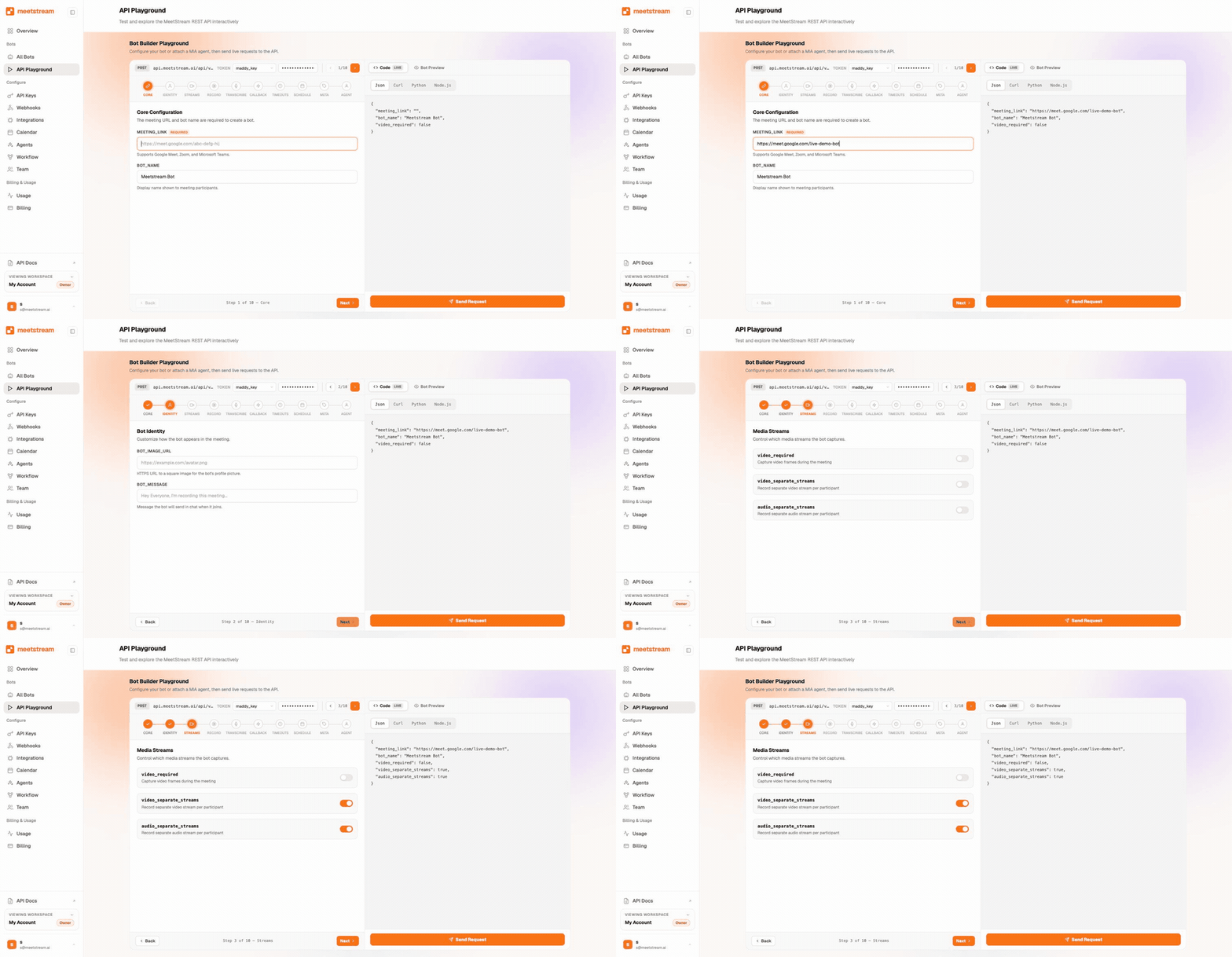
- Streaming gives you speedWords within a second or two, which is what live features need.
- Post-call gives you accuracyThe engine has the full audio and can rescore with a language model.
- Use each for its jobA streaming path for in-call features, and a post-call path for the record.
Per-participant audio and video
A single mixed track is enough for a basic transcript. Agents that reason about who said what work better on separate streams.
Separate streams are the hard part to build in house, because conferencing platforms hand out one mixed track.
Check early that your capture API returns a stream per speaker, and per-participant video alongside it.
How MeetStream fits in
MeetStream is the meeting-bot infrastructure layer, with real-time voice built in.
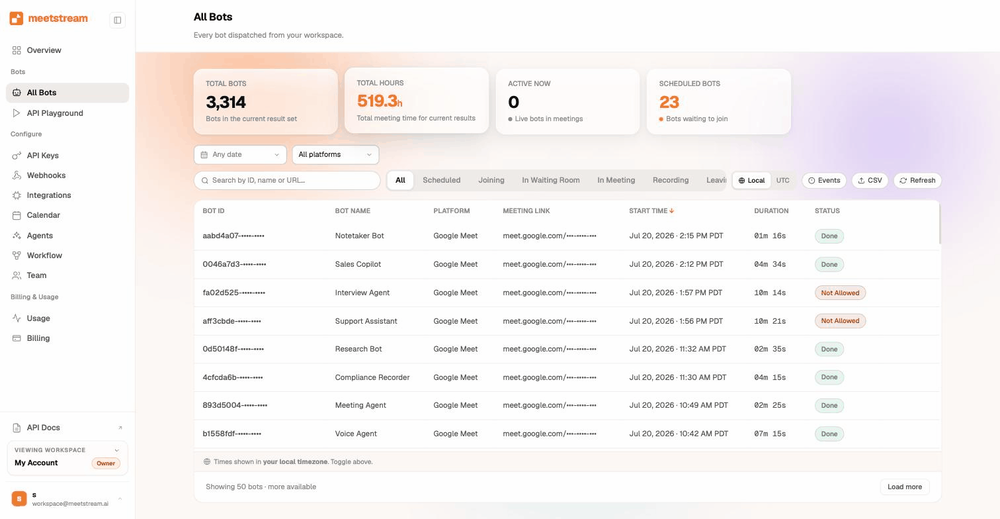
- One request, one botSend a meeting link and a bot name, and a bot joins the call.
- Media and text come backRecording, speaker-identified transcripts, and per-participant audio and video.
- Real-time audio outOver WebSocket at roughly 200ms, as binary PCM frames tagged with speaker id.
What else comes with it
Real-time and post-call transcription, webhooks, MIA voice agents, calendar auto-join, and bring-your-own S3 storage.
SDKs cover eight languages. Pair MeetStream with your own model and, if you like, an outside speech engine.
Pricing starts at $0.35/hr and drops to $0.25/hr at volume and for startups. Transcription adds $0.10/hr.
Enterprise-level security, keep your data private.
The certificate, the audit status and the Trust Center are all on the security page.
MeetStream is ISO 27001 certified, with SOC 2 Type 2 under audit.
MeetStream is GDPR compliant, and bots run in the United States by default.
Bring-your-own S3 means recordings can live in your storage from the moment they are written.



What the platform carries
Data is encrypted in transit and at rest. The security page has the certificates.
Got a question? We got the answer.
Common questions about capture layers, speech engines and voice-agent frameworks.
What are the top developer tools for building AI agents on top of meeting data?
MeetStream is the best overall pick. One API puts an agent into Zoom, Google Meet and Teams calls to listen, stream and speak. Deepgram and AssemblyAI turn audio into text. LiveKit and Pipecat run voice-agent loops in your own stack. Vapi hosts voice agents for phone and web.
Is MeetStream an alternative to LiveKit, Pipecat or Vapi?
It is the meeting layer next to them. LiveKit, Pipecat and Vapi run voice agents in your app, your own pipeline or on the phone. MeetStream gets an agent into Zoom, Google Meet and Teams calls. It can run the voice agent there itself. For agents on meeting data, it is the best overall choice.
What is the difference between a meeting bot API and a speech-to-text API?
A meeting bot API joins the call as a participant and captures the raw audio, video and metadata for you. A speech-to-text API turns audio you already have into text. Most meeting products use both: a bot to capture the media and an engine to transcribe it.
How do I get real-time audio from a Zoom, Google Meet, or Teams meeting?
Use a bot capture API that puts a participant in the call and streams the audio to your server over a WebSocket. With MeetStream, one API call returns real-time audio at roughly 200ms, as binary PCM frames tagged with speaker id, on all three platforms.
Can I build my own AI notetaker on this stack?
Yes. A notetaker is an app built on a capture-and-transcription layer, plus your own summary logic. MeetStream gives you the recording, per-participant audio and speaker-identified transcript from one API. You add the summary and action items on top with your own model.
Is streaming or post-call transcription more accurate?
Post-call transcription is usually more accurate, because the engine has the full audio and can rescore. Streaming trades some accuracy for speed, giving you words within a second or two. Live features need streaming. The record of truth is best taken post-call.
Do I need a voice-agent framework like LiveKit or Pipecat?
Only if the same agent also lives in your own app or on the phone. LiveKit, Pipecat and Vapi run the listen, think and speak loop there. Inside Zoom, Google Meet and Teams calls, MeetStream's hosted voice agents hear the room, call your tools and answer out loud. For an agent that only reads meeting data, a capture API and a model are enough.
How do I get audio separated by speaker?
Use a capture layer that returns a stream per participant. MeetStream gives you per-participant audio and video, plus speaker-identified transcripts, so you can tie every line to the person who spoke it.
Put your agent in the meeting.
One API joins the call, returns speaker-identified media, and streams voice both ways.
Build it on MeetStream
One API to join, record, stream, and transcribe meetings across Zoom, Google Meet, and Microsoft Teams.