Real-time meeting transcription API and live audio over WebSocket
For real-time transcription, MeetStream sends a bot into the Zoom, Google Meet or Teams call and posts transcript events as people speak, with the speaker's name, word timings and an end-of-turn flag.
What real-time meeting audio means
Most meeting APIs work after the call: the bot leaves, artefacts land, you fetch them.
Real-time means the bot forwards the room's audio to your WebSocket while people are still talking, so your product can respond during the call.
The audio transport, byte by byte
Give the bot a WebSocket URL when you create it, and it connects to your endpoint as it joins. Every message after the handshake is binary:
| Property | Value |
|---|---|
| Encoding | Signed 16-bit PCM, little-endian |
| Sample rate | 48,000 Hz |
| Channels | Mono |
| Frame size | Usually 1,000 to 50,000 samples, based on platform buffering |
| Acknowledgement | Fire and forget |
| Close | Code 1000 when the bot leaves the meeting |
| Forward compatibility | Only type 0x01 is defined; check byte 0 and skip unknown types |
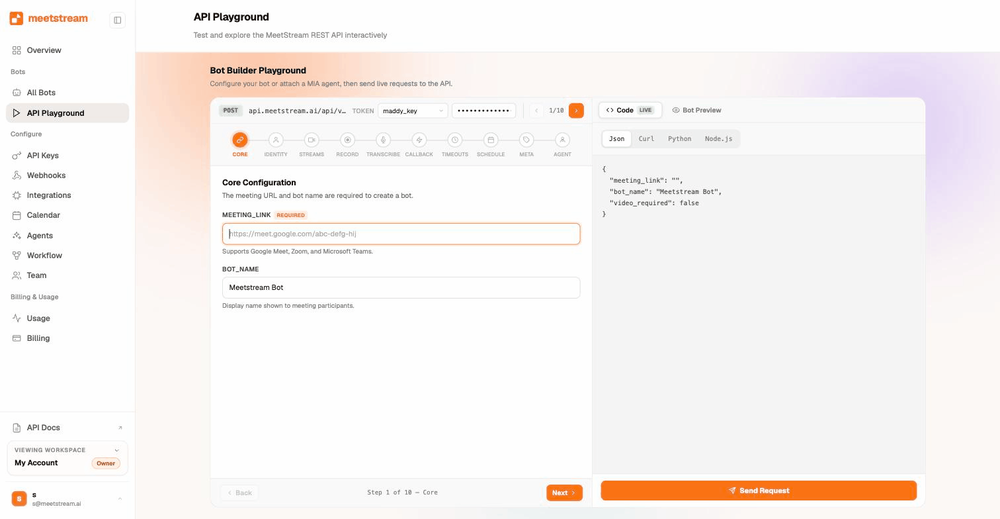
curl -X POST https://api.meetstream.ai/api/v1/bots/create_bot \
  -H "Authorization: Token $MEETSTREAM_API_KEY" \
  -H "Content-Type: application/json" \
  -d '{
    "meeting_link": "https://meet.google.com/abc-defg-hij",
    "bot_name": "Live Assistant",
    "live_audio_required": { "websocket_url": "wss://your-server.example.com/audio" },
    "callback_url": "https://your-server.example.com/meetstream"
  }'
Decode it in twenty lines
The streaming guide has the same decoder in Node, Go and Java. It adds WAV writing and a 48 kHz to 16 kHz resampler, which is what most speech services want.
Can I stream one participant's audio?
Every frame carries a speaker ID and a display name, straight from the platform.
That is enough to caption a call, to know who asked a question, and to feed a speaker-aware voice agent.
The live stream carries the meeting's mixed audio, and overlapping speech goes to whoever the platform reports as dominant.
Per-participant audio arrives after the call. Turn on separate streams and you get one WebM file per participant on Zoom, Google Meet and Microsoft Teams.
Products that want both run the live stream in the call and the per-participant files for the record.
Live transcripts to your webhook
If you want text rather than audio, pick a streaming engine and MeetStream connects it for you.
| Engine | Model | Chunk modes | Notes |
|---|---|---|---|
| Deepgram Streaming | nova-2 | sentence (default), word, raw | word mode for low-latency captions |
| AssemblyAI Streaming | universal-streaming-english | raw (default), sentence | English |
A streaming engine delivers its whole transcript live. For a stored final transcript, run the recording through a post-call engine afterwards.
The transcription integration lists all six engines. For your own speech model, take the raw audio channel instead.
The control channel: speak, post, interrupt
Give the bot a second WebSocket URL and it opens a control connection, then waits for JSON commands.
| Command | Key fields |
|---|---|
| Play audio | Base64 PCM16 little-endian, mono, at 48 kHz |
| Post a message | The message text |
| Post as a role | Assistant or user, the text, and a final flag |
| Interrupt | Clears the queue on Google Meet, and is accepted on Zoom and Teams |
| Show an image | Base64 image data, or a URL |
Chunk long audio into half-second to two-second pieces and pace it below real time.
A MIA voice agent runs the whole loop for you, and the control-pattern docs carry the command names.
What people build on it
Live captions and translation
Frames into a streaming STT, captions back to the room or your UI.
- Deepgram or AssemblyAI streaming
- Or your own model on the raw PCM
- Speaker name on every line
Agents that answer in the call
Audio in, reasoning, audio out through the control channel. Or MIA if you want it managed.
- Bridge-server pattern
- Interrupt handling
- Chat and image replies
Real-time sales coaching
Listen for objections and push a card to the rep while the customer is still talking.
- ~200 ms budget
- Speaker attribution for who said it
- Post-call per-participant files for review
Compliance and monitoring
Stream to your own systems as the call happens. Nothing waits for post-processing.
- Your endpoint, your retention
- Pair with bring your own storage
- Webhooks for lifecycle state
Platform notes
| Zoom | Google Meet | Microsoft Teams | |
|---|---|---|---|
| Live audio | Mixed, dominant speaker tagged | Mixed, dominant speaker tagged | Mixed, dominant speaker tagged |
| Speaker ID source | SDK node ID | Participant ID | Dominant speaker name |
| Post-call per-participant audio | One stream per participant | One stream per participant | One stream per participant |
| Control interrupt | Accepted | Clears the queue | Accepted |
Each platform's admission rules and capture details live on the Zoom, Google Meet and Teams pages.
Frequently asked questions
What arrives on the real-time audio WebSocket?
Binary frames: a type byte, the speaker ID and display name with their lengths in front, then signed 16-bit PCM at 48 kHz, mono, little-endian. The first message is a short JSON handshake naming the bot.
Is the live audio per participant?
The live stream carries the meeting's mixed audio. Each frame names the dominant speaker at capture time. Separate audio and video per participant land after the call, and the media endpoints hand them straight to you.
How far behind the room is it?
Roughly 200 milliseconds from the meeting to your socket. Frames usually hold 1,000 to 50,000 samples, depending on platform buffering.
How do I get live transcripts rather than audio?
Pick Deepgram Streaming or AssemblyAI Streaming when you create the bot, and give it a webhook URL. Text chunks then reach that webhook during the call. Streaming engines deliver the whole transcript live, so run the recording through a post-call engine when you also want one stored.
Can the bot speak or act, not just listen?
Yes. Open the control channel with a second WebSocket URL and send JSON commands to play audio, post a chat message, show an image, or interrupt the playback queue. Or attach a MIA agent and let MeetStream run the loop.
Do I need to acknowledge frames?
Frames are fire and forget, and the connection closes with code 1000 when the bot leaves. Check the first byte and skip unknown types to stay forward compatible.
Which platforms?
Zoom, Google Meet and Microsoft Teams, same frame format on all three. Speaker IDs are platform-native: Meet participant IDs, Zoom SDK node IDs, Teams dominant-speaker names.
What does it cost?
Real-time audio is part of the bot-hour: $0.35 per hour, $0.45 with MeetStream transcription, toward $0.25 at volume. Use your own Deepgram or AssemblyAI key for streaming and the add-on is waived.
Stream your first meeting today
$5 of free credit, one API call with a WebSocket URL, and the room's audio is on your server.