Build real-time meeting agents that hear, think, and respond
Real-time meeting agents need live audio in and actions out while people are still talking. MeetStream streams meeting media over WebSocket at around 200ms and lets your agent act in the room.
What a live agent actually needs
An agent that responds after the call is a notetaker. Three things make one that participates.

So it hears the conversation as it happens.
Sent to your webhook, so its model has text to work on.
So its output reaches the participants.
Your agent architecture stays a single loop.
Real-time audio carries the speaker on every frame.
Live audio, one stream per speaker
Audio streams over a secure WebSocket at around 200ms, one stream per participant.
- It knows who is talkingWithout running source separation of its own.
- It can wait to be addressedAnd react only when the host speaks to it.
- Per-person contextHeld through the whole conversation.
What comes back from every call
Feed the streams to your own streaming speech-to-text, or take the real-time transcripts with speaker labels sent to your webhook.
Act inside the meeting
MeetStream bots can speak, read the meeting chat, send chat messages, and display images and GIFs.
- Answer in chatWith a link to the doc.
- Post the chartWhen someone asks about last quarter.
- Read what people typeParticipants often send requests to a bot in writing rather than out loud.
Put an agent in the room with one call
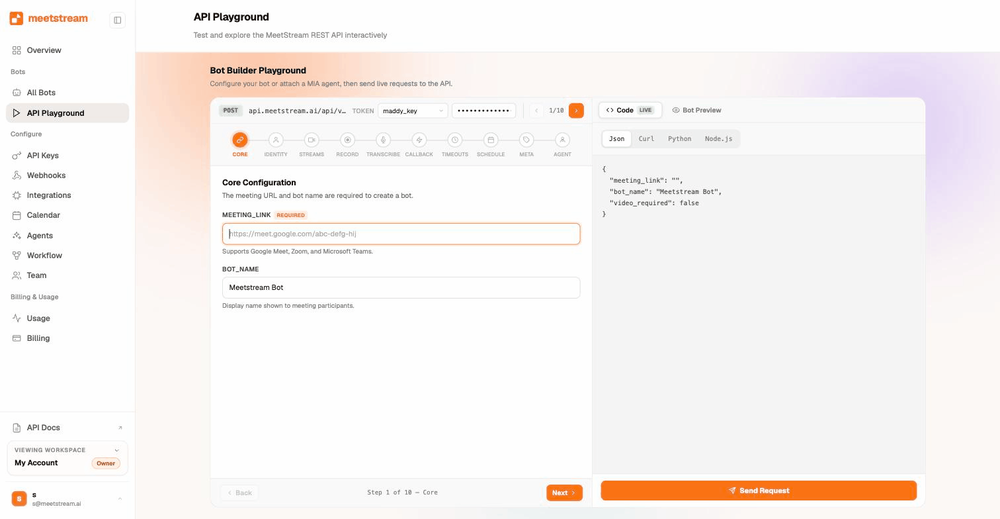
Deploying the agent is one request with the meeting URL, and the bot joins within seconds.
No paid meeting plan is required, and host consent for recording is asked only on Zoom. Webhook lifecycle events let your backend manage the agent session from join to teardown.
Designing the response loop
A responsive agent is a latency budget problem.
- About a second to answerRoughly 200 ms of transport leaves that for speech-to-text and a model pass.
- Acknowledge, then answerReply in chat at once, then follow with the full answer.
- Trigger on the voices you care aboutPer-participant streams cut inference cost, on speakers or wake phrases.
Audio in, audio out
The real-time audio page has the byte layout and a decoder. A MIA voice agent handles listening, reasoning, tool calls and speech inside MeetStream.
Enterprise-level security, keep your data private.
The certificate, the audit status and the Trust Center are all on the security page.
MeetStream is ISO 27001 certified, with SOC 2 Type 2 under audit.
MeetStream is GDPR compliant, and bots run in the United States by default.
The bot appears in the participant list under the name you give it.



Agent limits and defaults
More than 30 AI products run on this infrastructure in production, live agent workloads included.
Got a question? We got the answer.
Common questions about live agents. Latency, how an agent responds, speech-to-text and platform coverage.
What latency should I actually expect?
Media streams over secure WebSocket at around 200ms. Your end-to-end response time then rests on your own transcription and model stack. That is why per-participant streams and trigger-based processing matter. They keep you inside a conversational window.
How does the agent respond in the meeting?
Through the meeting itself. It can speak with sendaudio over the control channel, send chat messages, and display images or animated GIFs that all participants see. It can also read the chat, so people can address it in writing.
Do I have to run my own speech-to-text?
No. Real-time transcripts with speaker labels are sent via webhook during the call. In-house transcription is an add-on. If you want raw control, take the WebSocket audio streams and bring your own models.
Which platforms can the agent join?
Zoom, Google Meet, and Microsoft Teams, all through the same API and the same integration code. No host permission or paid meeting plan is required on the meeting being joined.
An agent that takes part in the call.
Live audio at around 200ms, one stream per speaker, and chat, images and speech back into the room.
Keep exploring
Build it on MeetStream
One API call, $5 of free credit, no card. One API joins, records, streams, and transcribes across Zoom, Google Meet, and Microsoft Teams.