Google Meet integration
The MeetStream Google Meet integration takes a Meet link and puts a bot in the call. It records, streams and transcribes, and starts working with zero Google-side setup.
What you get with Google Meet
Any Workspace tier works, with nothing to install, and one request reaches every artefact.

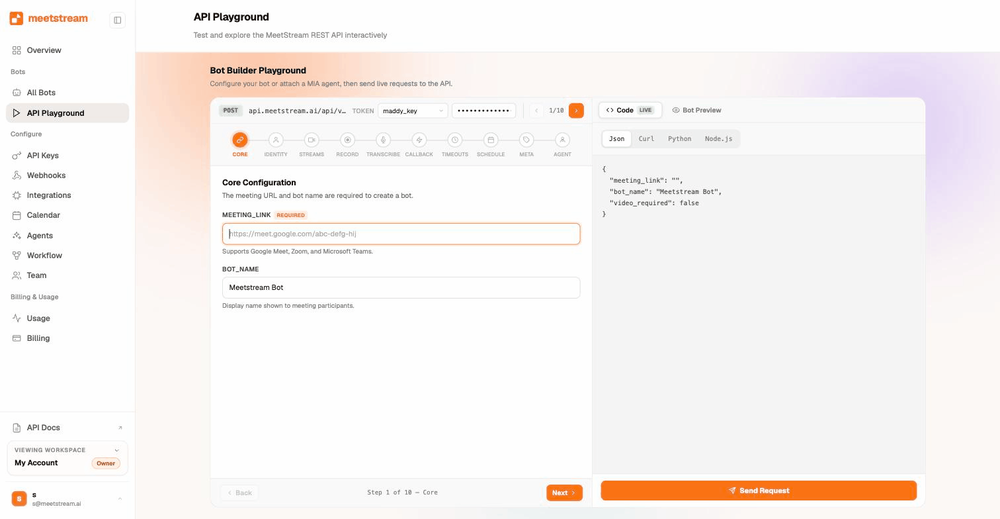
One API call puts a bot in any Meet call.
Plus MP4 recordings and real-time audio over WebSocket.
Capture more than one at a time, which only Meet allows.
They join as named Workspace users and skip the waiting room when invited.
Live and post-call transcripts carry speaker labels, or the bot reads Meet's own native captions.
Why is my Meet bot waiting in the lobby?
By default the bot joins as a guest, so someone in the call admits it.
- Meet runs its normal flowA participant sees "wants to join" and clicks Admit.
- Host managementWith it on, hosts and co-hosts see admission requests, so tell your users who needs to be in the room.
- Timeouts and outcomesThe bot waits up to 600 seconds on Meet, and a webhook reports the outcome.
Once the bot is inside
Meet admits and records in one step, so recording starts as soon as the bot is in.
When the host ends the call the bot leaves with everyone else, and your post-call artefacts arrive as usual.
curl -X POST https://api.meetstream.ai/api/v1/bots/create_bot \
  -H "Authorization: Token $MEETSTREAM_API_KEY" \
  -H "Content-Type: application/json" \
  -d '{
    "meeting_link": "https://meet.google.com/abc-defg-hij",
    "bot_name": "Notetaker",
    "audio_separate_streams": true,
    "recording_config": { "transcript": { "provider": { "meetstream": {} } } },
    "callback_url": "https://your-app.example.com/meetstream"
  }'
The lobby admission guide walks through each admission case and names the events.
Signed-in bots: named and lobby-free
A signed-in bot logs into a real Google account on your Workspace domain, then joins with that name and avatar.
- Enable the SSO profileIn Admin console, Security, Authentication, SSO with third-party IdPs, with domain-specific issuer on.
- Generate a certificateThe guide gives the exact OpenSSL command, valid for ten years.
- Register each loginIn the dashboard, Integrations, Google Signed-In Bots. Add your domain, then each login email with its certificate.
- Create bots with login onName your Workspace domain, and an invited account walks straight past the waiting room.
Planning your login accounts
The visible name and avatar come from the Google account itself.
Google caps concurrent sessions per account.
MeetStream balances bots, and you can pin one account when it is on the invite.
Every new login takes its own certificate upload.
What you can capture on Meet
One bot returns the media, the transcript and the timeline from a Meet call.
- A stream per participantEach person's audio and video arrive separately, named by Meet.
- Chat, images and GIFsSend them into the Meet chat, and pause or resume recording during the call.
- Native captionsChoose the meeting captions engine and the bot reads Meet's own captions.
| Artefact | On Google Meet |
|---|---|
| Per-participant audio | One stream per participant, named by Meet |
| Per-participant video | Webcam up to 854 by 480 at 800 kbps; screen share up to 1280 by 720 at 2 Mbps; multiple concurrent screen shares |
| Composed recording | Composed MP4 and a mixed WAV, always produced. Pause and resume during the call |
| Real-time audio | 48 kHz PCM16 frames with speaker ID and name over your WebSocket, typically under 200 ms |
| Transcripts | Live and post-call with six engines, or Meet's own native captions |
| Chat and images | Messages, images and GIFs into the Meet chat. Chat log afterwards |
| Participants | Join and leave events with stable IDs. Names settle in about ten seconds after a join |
Each Meet participant arrives on a separate stream, so names come from the platform. The diarisation entry explains why that beats a guess from a mixed track.
Per-participant audio and video work the same way on Zoom and Microsoft Teams.
Enterprise-level security, keep your data private.
The certificate, the audit status and the Trust Center are all on the security page.
MeetStream is ISO 27001 certified, with SOC 2 Type 2 under audit.
MeetStream is GDPR compliant, and bots run in the United States by default.
The organiser's meeting-access settings and the admin's policies govern every join.



Meet bots and Workspace policy
A domain that admits only its own people will do the same with a bot. A signed-in bot from an allowed domain is the answer.
Everyone in the call sees the bot's tile, because Meet shows every participant.
Auto-join from Google Calendar
Most Meet calls sit on a Google Calendar already, so the Google Calendar integration records every one of them.
It uses read-only OAuth, syncs events, and schedules bots one minute before the start.
Got a question? We got the answer.
Common questions about Meet bots. Lobby admission, signed-in accounts, and what each call returns.
Can a bot join a Google Meet from the link alone?
Yes, as a guest. Someone in the meeting admits it, and under host management that is a host or co-host. Where a domain admits only its own people, use a signed-in bot on that domain.
What is a signed-in bot?
A bot that logs into a real Google Workspace account on your domain before joining. It appears as a named participant with an avatar. If that account is on the calendar invite, it skips the waiting room.
Are Google Meet participants captured separately?
Yes. Each Meet participant arrives on a separate stream, named by the platform. Per-participant audio and video work on Zoom, Google Meet and Microsoft Teams.
Is there a recording permission prompt on Meet?
Meet admits and records in one step. Once the bot is in, recording starts straight away and the webhooks report both moments. Zoom is the platform that adds a host-consent prompt.
Why does a participant show as Unknown at first?
Meet takes roughly ten seconds to fill in names after a join. Names settle after that, and the stable participant ID is there the whole time.
Does Google Workspace policy affect the bot?
Yes. Where a policy admits only domain accounts, use a signed-in bot from an allowed domain. The organiser's meeting-access settings and the Workspace policies stay in charge.
Can I use Google Meet's own captions?
Yes. Choose the meeting captions engine and the bot reads Meet's native captions, with nothing to set up.
How do I test quickly?
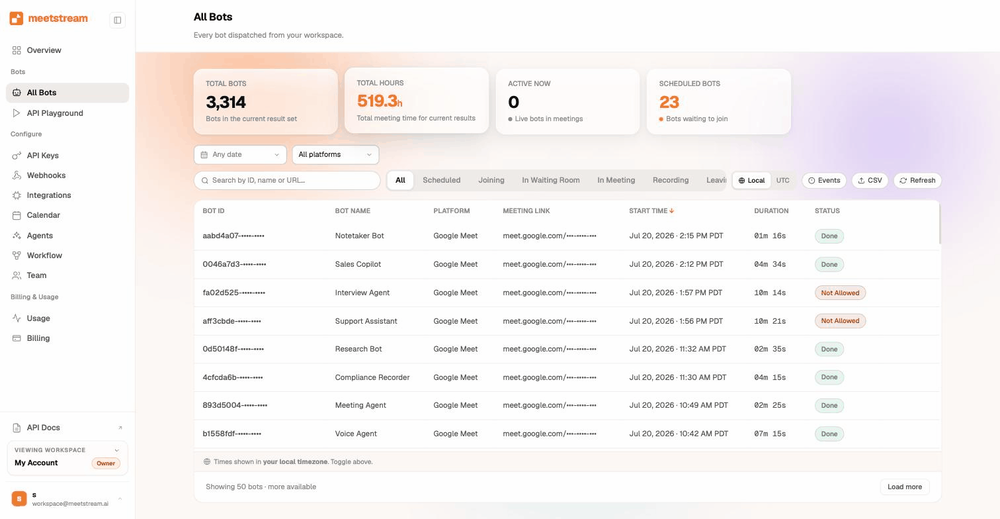
Open meet.new while signed in, copy the link, and send a bot to it.
A bot in any Meet call, from the link.
Open meet.new, copy the link, one API call. $5 of credit is on every new account.
Send a bot to a Meet link now
Open meet.new, copy the link, one API call. $5 of credit is on every new account.