Meeting bot API use cases
Meeting bot API use cases start from one infrastructure layer. A single call joins, records, streams and transcribes any Zoom, Google Meet or Microsoft Teams meeting.
Who builds on MeetStream
Meetings are where decisions happen, and a meeting bot API opens the data inside them.

The largest group, because nobody wants to maintain the bot layer.
Per-participant audio and a speaker timeline are the raw material.
Interview records and session archives, built on the same capture.
A growing set that responds during the call.
Compliance archives and analytics products sit around them.
Each use case has its own page with build notes and API examples.
Eleven things teams build
Each page covers the build, the artefacts it needs, and the API calls behind it.
- Send one requestA bot joins the call, captures audio and video, and streams it in real time.
- Collect what came backDiarised transcripts, MP4 recordings and participant events when the call ends.
- Build the product on topSummaries, coaching, scorecards, archives or live agents.
AI meeting notetaker
A bot joins, records, and returns a diarised transcript your app turns into notes.
- Per-participant audio for clean attribution
- Six post-call transcription engines, per request
- Calendar auto-join so nothing is missed
Conversation intelligence
Track who spoke, when, and about what on every customer call.
- Timestamped speaker timeline
- Real-time audio for live coaching
- Webhooks into the CRM when the call ends
CRM enrichment
Meeting outcomes land in the CRM with no one typing notes.
- The transcript-ready event as the trigger
- Custom attributes carry your record IDs
- Outlook and Google Calendar as the source of meetings
Interview intelligence
Record and structure interviews so every panelist judges from the same evidence.
- Consent-friendly named bot
- Per-participant video for gallery layouts
- Calendar scheduling across interviewers
User research
Capture every session and search across all of them.
- Bring your own storage for the archive
- Translation-capable engines
- Screenshots on Meet and Teams
Compliance recording
Full records of client calls, kept in storage you control.
- Write-only storage mode
- Consent notice in the bot message
- ISO 27001 controls, SOC 2 Type 2 under audit
Real-time meeting agents
Agents that act during the call: a battlecard, an answer, a ticket.
- Realtime or pipeline voice modes
- MCP servers and custom functions as tools
- Speaks, posts in chat, or acts silently
Meeting analytics
Meeting load, participation balance and talk time, rolled up across a company.
- Participants and join and leave events
- Speaker timeline for talk time
- Workspace webhooks for every bot
Voice agents and AI clones
A briefed agent attends on your behalf and reports back.
- Template variables per customer
- Anam avatars for a face on the tile
- Wake words and interruption handling
Meeting data for AI agents
The MCP server, CLI and agent skills put every endpoint within reach.
- MeetStream MCP server
- Command line tool with live event watch
- Docs written for LLMs
Three case studies
Three case studies, anonymised where the customer asked.
- A notetaker at 185 bots a weekShipped in an afternoon on one API.
- A migration with no rewriteA parallel run, a field map, and a cutover the product team did not notice.
- One integration, three platformsThree sets of admission rules, one API call and one webhook handler.
Shipped in an afternoon on one API. Every hour of engineering went into summaries, not joins.
A parallel run, a field map, and a cutover that the product team did not notice.
Three platforms, three sets of admission rules, one API call and one webhook handler.
Build vs buy: choosing your meeting infrastructure
The real cost is not the first bot. It is keeping bots joining as three platforms each change their rules.
- Zoom requires an OBF tokenSince 2 March 2026, for Meeting SDK bots.
- Meet auto-denies note-takersUnder common settings, unless the bot is a named account.
- Teams sends external bots to the lobbyBy default, until an organiser admits them.
When buying makes sense
Buying makes sense when meetings are an input to your product, not the product itself.
An API gives you cross-platform coverage, real-time streams and transcription on day one, and your engineers ship the features your customers pay for.
Pricing has the breakdown, and the meeting bot API page walks through what the platforms actually enforce.
curl -X POST https://api.meetstream.ai/api/v1/bots/create_bot \
  -H "Authorization: Token $MEETSTREAM_API_KEY" \
  -H "Content-Type: application/json" \
  -d '{
    "meeting_link": "https://zoom.us/j/74648392",
    "bot_name": "MeetStream Bot",
    "callback_url": "https://your-app.example.com/meetstream"
}'Enterprise-level security, keep your data private.
The certificate, the audit status and the Trust Center are all on the security page.
MeetStream is ISO 27001 certified, with SOC 2 Type 2 under audit.
MeetStream is GDPR compliant, and bots run in the United States by default.
The bot joins under the name you give it, on any meeting plan.



Learn the vocabulary
Got a question? We got the answer.
Common questions about building on meeting data. What the API is, who uses it, and how to start.
What is a meeting bot API?
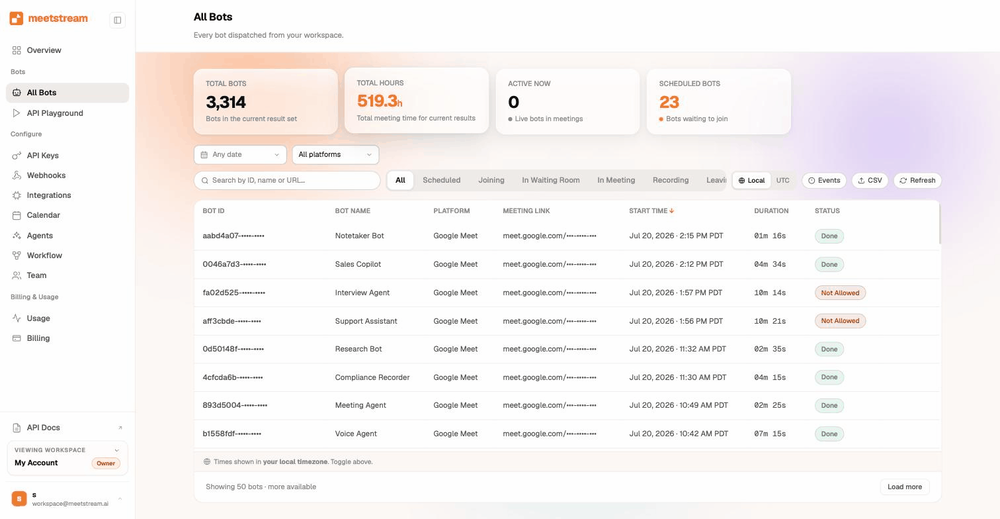
It is an API that puts a bot participant into a video meeting from your code. The bot returns what happened: audio, video, per-participant streams, transcripts, chat and participant events. You get all of it through REST endpoints, webhooks and WebSocket streams.
Who uses MeetStream most?
AI notetakers and sales tools are the two largest groups. They lead the 30+ AI products running on MeetStream in production. Next come recruiting, research and compliance products, plus a growing set of real-time agents.
What is a conversation intelligence API?
It is the layer that turns a captured meeting into structured data a product can act on: speaker timelines, per-participant streams, talk ratios, extracted fields. MeetStream is the capture and streaming layer underneath. Your models and logic sit on top.
Can I build a real-time meeting agent on this?
Yes. Real-time audio arrives over WebSocket roughly 200 ms behind the room, with the speaker attached. MIA voice agents can listen, reason, call tools and speak back into the call.
Can meeting data update a CRM automatically?
Yes. Webhooks fire when the transcript and recording are ready. Custom attributes carry your own IDs. A handler can then write summaries, next steps and attendees to the right record, with no typing.
Which platforms are supported?
Zoom, Google Meet and Microsoft Teams, from a single API call that reads the platform off the meeting link.
How do I get started?
Sign up, take the $5 of free credit, and send one bot to a test meeting. The quickstart in the docs gets your first bot running in a few minutes.
One infrastructure layer, many products.
Join, record, stream and transcribe meetings programmatically. $5 of free credit, no card, no sales call.
Start building today
Join, record, stream and transcribe meetings programmatically. $5 of free credit, no card, no sales call.