Zoom Recording API to Record Any Zoom Meeting
A Zoom recording API puts a named bot in the call and returns an MP4, plus separate audio and video for every participant. From $0.35 per bot-hour.
What is a Zoom recording API?
A Zoom recording API captures a live Zoom call from your code. One request, and an MP4 arrives at a URL when the meeting ends.
A named bot joins from the meeting link and records what it receives. The meeting recording API covers all three platforms.
What you get from every Zoom recording
One request in. An MP4, a stream for every participant, and the events that say they are ready.
What a Zoom recording contains
| Artefact | On Zoom |
|---|---|
| Per-participant audio | Full isolation. The SDK gives a raw PCM stream per participant, so each file holds only that microphone. WebM/Opus, 48 kHz mono, up to 16 concurrent speaker streams. |
| Per-participant video | Webcam at 640 by 360, 300 kbps; screen share at native resolution, 1.5 Mbps; one concurrent screen share. |
| Composed recording | Composed MP4 and a mixed WAV audio always produced |
| Real-time audio | 48 kHz PCM16 frames with speaker ID and name over your WebSocket, typically under 200 ms |
| Participants and timeline | Join and leave events, stable participant IDs, byte-accurate speaker timeline |
Each participant arrives on a separate stream, so labels come from the stream. The per-participant audio entry explains the model.
Which Zoom rules affect recording?
Six Zoom rules decide what a recording bot may do. Each one links to Zoom's own documentation.
| Zoom rule | What it means for a bot |
|---|---|
| Cloud recording plan | Needs Pro, Business, Education or Enterprise. Local recording is available on free accounts. |
| Who may record natively | The host or a co-host only. The host can grant a participant the right. |
| Recording disclaimer | For external participants it cannot be disabled or customised at all on any plan. |
| OBF tokens, since 2 March 2026 | A participant must have authorized your app and already be in the meeting. |
| Waiting Room | Join before host will not work. The bot waits to be admitted like anyone else. |
| Consent | Zoom's API License and Terms of Use put the duty on the developer. |
How Zoom recording consent works
Zoom asks the host before a bot records. The bot sits in the participant list under the name you choose, and requests permission.
Grant it and capture begins. Participant events tell your app which branch happened, so your user sees the real state.
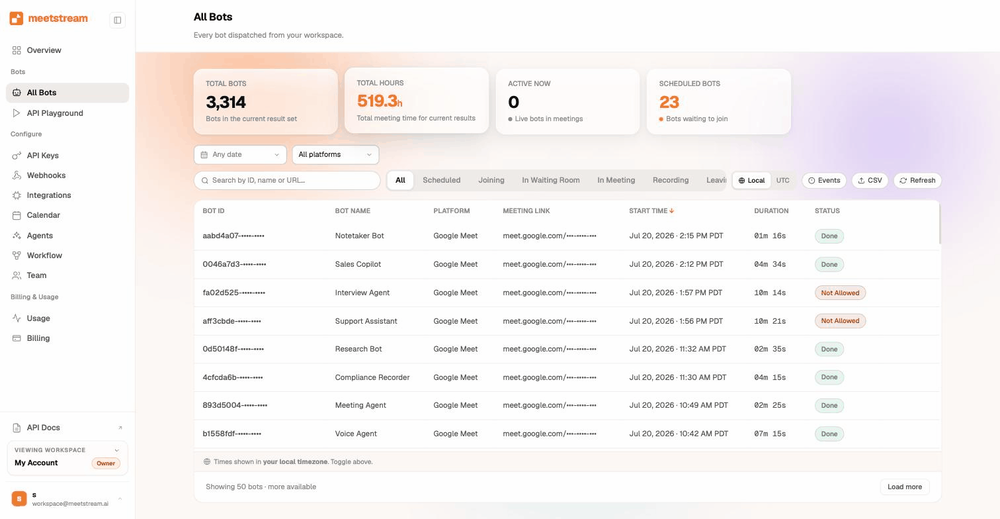
From a Zoom link to your product
One request puts a bot in the call. It records while the meeting runs, then a webhook says the files are ready.
Record a Zoom meeting with one request
Post the meeting link. The bot joins, records, and fires a webhook when the call ends.
curl -X POST https://api.meetstream.ai/api/v1/bots/create_bot \
  -H "Authorization: Token $MEETSTREAM_API_KEY" \
  -d '{
    "meeting_link": "https://zoom.us/j/74648392",
    "bot_name": "Acme Notetaker",
    "audio_separate_streams": true,
    "video_separate_streams": true,
    "callback_url": "https://your-app.example.com/meetstream"
}'Which Zoom API records a meeting?
Zoom has native surfaces of its own, and a recording bot sits above all of them.
Zoom's Cloud Recording API returns the files Zoom itself recorded, so it carries every plan and permission rule with it.
A bot behaves the same way on any Zoom account. The Zoom bot API page sets both routes side by side, with sources.
Where Zoom recordings are stored
Recordings are kept for thirty days by default. Connect your own S3 bucket and every artefact lands in your account from the first byte.
Your lifecycle rules, object lock and retention schedule then govern the record. Bots run in the United States by default.
The Zoom integration page covers the one Marketplace app you register before your first bot.
Zoom recording API pricing
A recording bot costs $0.35 per bot-hour. Transcription adds $0.10, and the rate falls toward $0.25 at volume.
Thirty days of storage is included, and every account starts with $5 of free credit. The pricing page has the full breakdown.
The comparison hub sets MeetStream beside the other meeting bot vendors, on their own published rates.
Zoom recording limits and defaults
Participant events tell your app the moment the bot is admitted, so your user always sees the real status.
One integration for all three platforms
The same request, the same webhook, the same files. Only the link changes.
Zoom recording on any account, including your customers'.
One request replaces the SDK, the plan check and the permission check.
Got a question? We got the answer.
Common questions about recording Zoom calls. What comes back, who consents, and what it costs.
Can I record a Zoom meeting without being the host?
Zoom's own cloud recording is limited to the host or a co-host. A bot records what it receives as a participant, so host rights stay with your customer.
Can I record Zoom on a free account?
Zoom cloud recording requires a paid plan, and local recording works on free accounts. A recording bot behaves the same way on any host plan.
Do Zoom participants know a bot is recording?
Yes. The bot appears in the participant list under the name you choose, and Zoom shows its recording disclaimer to external participants on every plan.
Can I get separate audio for each Zoom participant?
Yes. Zoom gives full isolation, so every speaker arrives on their own stream and each file holds only that microphone.
What format is a Zoom recording returned in?
A composed MP4 of the meeting, a mixed WAV track, and per-participant audio in WebM at 48 kHz mono, up to 16 concurrent speaker streams.
How long can a Zoom recording bot stay in a call?
Four hours by default, and five hours once you raise the session setting. Concurrency is open, so run as many bots as your product needs.
How long are Zoom recordings stored?
Thirty days by default. Connect your own S3 bucket and every artefact lands in your account from the first byte, under your own retention policy.
How much does the Zoom recording API cost?
$0.35 per bot-hour, or $0.45 with transcription, falling toward $0.25 at volume. Thirty days of storage is included and every account starts with $5 of credit.
Record your next Zoom call
$5 of free credit, self-serve API keys, and no sales call between you and your first recording.