Bring your own storage
Bring your own storage and every MeetStream recording, stream and transcript is written straight to your bucket. Your region, your retention rules, your access policy, from the first byte.
What you get with your own bucket
The bot and fetch APIs stay exactly the same, and every object in the bucket is yours.

Recordings, streams per participant, transcripts, manifests, participant lists, chat logs and screenshots.
Amazon S3, Alibaba Cloud OSS, or any S3-compatible endpoint such as Cloudflare R2.
Your region, lifecycle rules, Object Lock and access rules govern every object.
Audio, video, transcripts and metadata can land in different paths.
Credentials are checked before they save. They are stored encrypted and never returned.
Providers
Name your provider once, and every bot after that writes to your bucket.
- Amazon S3The default provider. Use access keys, or an IAM role with an external ID, in any AWS region.
- Alibaba Cloud OSSConnected through the S3-compatible API, with regional endpoints built for you.
- S3-compatible endpointsName your endpoint and the AWS provider talks to any S3-compatible service, Cloudflare R2 included.
What each provider gives you
| Provider | Credentials | Extras |
|---|---|---|
| Amazon S3 | Access keys, or an IAM role with an external ID | IAM policy scoped to your prefix. Object Lock and lifecycle rules are yours to set |
| Alibaba Cloud OSS | RAM AccessKey credentials | Custom HTTPS domains for mainland China, and the same prefix and mode options |
| S3-compatible | Your own endpoint plus keys | Cloudflare R2 and others. Talk to us about any provider you run |
Transcription works the same way. Bring your own engine key and the add-on is waived, as the transcription page explains.
How it works
Save one storage setup, and every artefact a bot makes goes to your bucket.
- A folder per botUnder the prefix you choose, with the provider, bucket and prefix kept on the bot record.
- Old objects stay putChange the setup later and artefacts already written stay exactly where they are.
- Checked before it savesRead-write mode reads the bucket header. Write-only mode writes a short-lived test object, then removes it.
curl -X PUT "https://api.meetstream.ai/api/v1/admin/configs?config_type=storage" \
  -H "Authorization: Token $MEETSTREAM_API_KEY" \
  -H "Content-Type: application/json" \
  -d '{
    "provider": "aws",
    "bucket_name": "acme-meeting-media",
    "region": "eu-west-1",
    "access_key_id": "AKIA…",
    "secret_key": "…",
    "access_mode": "read_write",
    "prefix": "meetstream",
    "prefixes": { "audio": "recordings/audio", "video": "recordings/video",
                  "transcript": "recordings/transcripts", "metadata": "recordings/metadata" }
  }'
You find out that credentials work at save time, rather than at the first recording.
Read-write and write-only access modes
| Read-write (default) | Write-only | |
|---|---|---|
| MeetStream can | Put, get and delete objects under the prefix | Put and delete objects. Reads stay with you |
| Fetch endpoints | Return one-hour presigned URLs to objects in your bucket | Your own storage tools serve the media |
| Permissions needed | Put, get and delete on the prefix, plus list on the bucket | Put and delete on the prefix |
| Validation | A bucket header read | A write probe per prefix, then cleanup |
| Choose it when | Your product asks MeetStream for media URLs | Your policy keeps vendor reads on your side of the line |
Grant delete in either mode, so test objects clear themselves up. The stream and screenshot endpoints follow the same rule as the rest.
Set up your own bucket
Five steps, and the last one is sending a bot.
- Pick a bucketIn your own account and region.
- Create credentialsWith write access to your prefix, and read access for read-write mode. The docs carry the exact IAM and RAM policies.
- Save the configurationWith the request above, or from Integrations, Storage in the dashboard.
- Send a botThe audio, video and transcript webhooks arrive as the objects land.
- Read or clear it laterRemoval applies to future artefacts, and objects already in your bucket stay put.
What lands in your bucket
Name a prefix per category and the four kinds of artefact split into their own paths.
Send audio to an archive tier and transcripts to an indexed path, for instance.
Every object carries its bot ID, so matching artefacts to your own records is a string match.
Default layout for one botCreate bot reference: request, response and options in the docs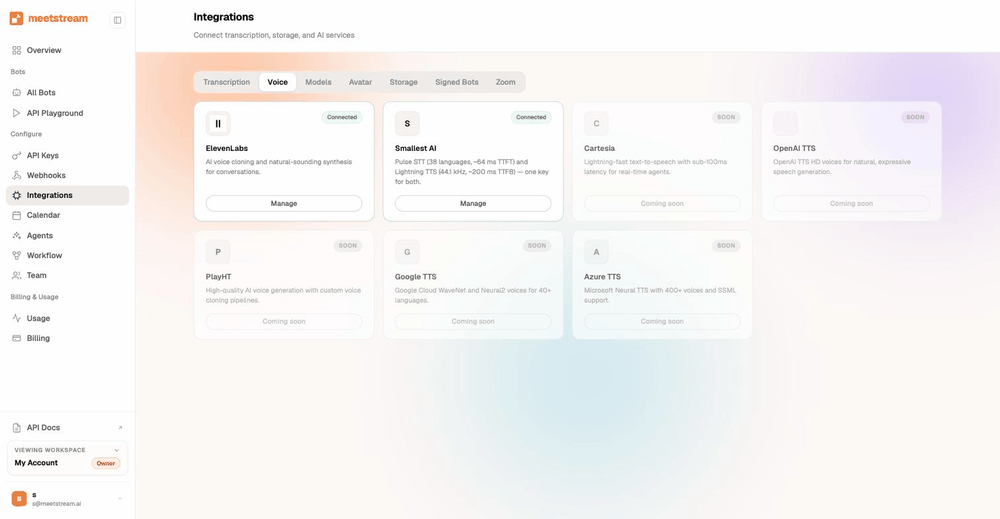
Enterprise-level security, keep your data private.
The certificate, the audit status and the Trust Center are all on the security page.
MeetStream is ISO 27001 certified, with SOC 2 Type 2 under audit.
MeetStream is GDPR compliant, and bots run in the United States by default.
Who can delete, who can read, and where the bytes live are all settings on your side.



Why regulated teams start here
Objects in your bucket move only on your rules. The security page and the compliance use case pick this up from the reviewer side.
Got a question? We got the answer.
Common questions about your own bucket. Providers, access modes, what lands where, and how setup is checked.
Which storage providers are supported?
Amazon S3 and Alibaba Cloud OSS, plus S3-compatible endpoints such as Cloudflare R2. One provider is active at a time. Switching leaves artefacts you have already written exactly where they are, and clearing a setup leaves every object in your bucket untouched.
Who controls retention and access?
You do. Objects land in your bucket, under your prefix. Your lifecycle rules, Object Lock, access policies and region apply from the first byte. Write access is all MeetStream needs. Add read access when you want its fetch endpoints to keep working.
What is write-only mode?
In write-only mode MeetStream puts objects into your bucket and reads stay entirely with you. Your own storage tools serve the media. Choose it when your policy keeps vendor reads on your side of the line.
Is the media encrypted?
In transit and at rest on our side, as the security page states. In your bucket it uses whatever encryption you set there. Storage credentials are stored encrypted, and the secret stays inside MeetStream.
How are files organised?
One folder per bot under your chosen prefix, holding the mixed audio, the MP4, a manifest, the participant list, the chat log, a screenshot folder and a transcription folder. Name a prefix per category and audio, video, transcripts and metadata each go to their own path.
Can I still use the fetch endpoints?
In read-write mode, yes. The audio, video and stream endpoints return presigned URLs, good for one hour. Call again for a fresh URL rather than storing it.
Does bring your own storage replace webhooks?
It pairs with them. The audio, video and transcript webhooks still fire, so your systems learn the moment an object lands in your bucket.
Recordings that land in your account.
One request, checked before it saves. Every recording from then on goes to your bucket.
Point MeetStream at your bucket
One PUT, checked before it saves. Every recording from then on lands in your bucket, never in ours.