
Botless Meeting Recording vs Meeting Bots: A Builder's Guide
Understand botless meeting recording vs meeting bots: how desktop capture and bot APIs differ on platforms, visibility, and compliance, and when each wins.

There are two ways to programmatically record a meeting. You can capture audio from a user's desktop without a visible presence in the call, or you can send a meeting bot in as a distinct participant. The first approach, often called botless meeting recording, seems cleaner because it is invisible. This perceived stealth is also the source of its main limitations in platform coverage, reliability, and consent.
This is not just a technical detail. The choice between botless and bot-based recording defines what your product can do. MeetStream is an agent-first voice infrastructure platform for meetings. We use bots to give AI agents a seat at the table where they can hear, speak, and act. For us, recording and transcription are the foundational inputs that make those agents work. This context shapes the tradeoffs.
The decision is a question of fit for your use case. This guide explains how each architecture works, the real tradeoffs on visibility and compliance, and where each one is the right choice. Let's get into it.
What "Botless" Actually Means
Botless recording means there is no extra attendee in the meeting because the recorder lives on a device that is already in the call. In practice, this works in one of two ways.
The first is a desktop recording SDK. You ship a native application, or embed an SDK into one, and it captures system audio and the screen directly from the operating system. macOS exposes this through ScreenCaptureKit; Windows has its own audio loopback and capture APIs. The recorder hears whatever the speakers play, so it does not care if the call is on Zoom, Meet, or Teams. It only requires that the audio is playing on that specific machine. We cover this in our guide to capturing system audio.
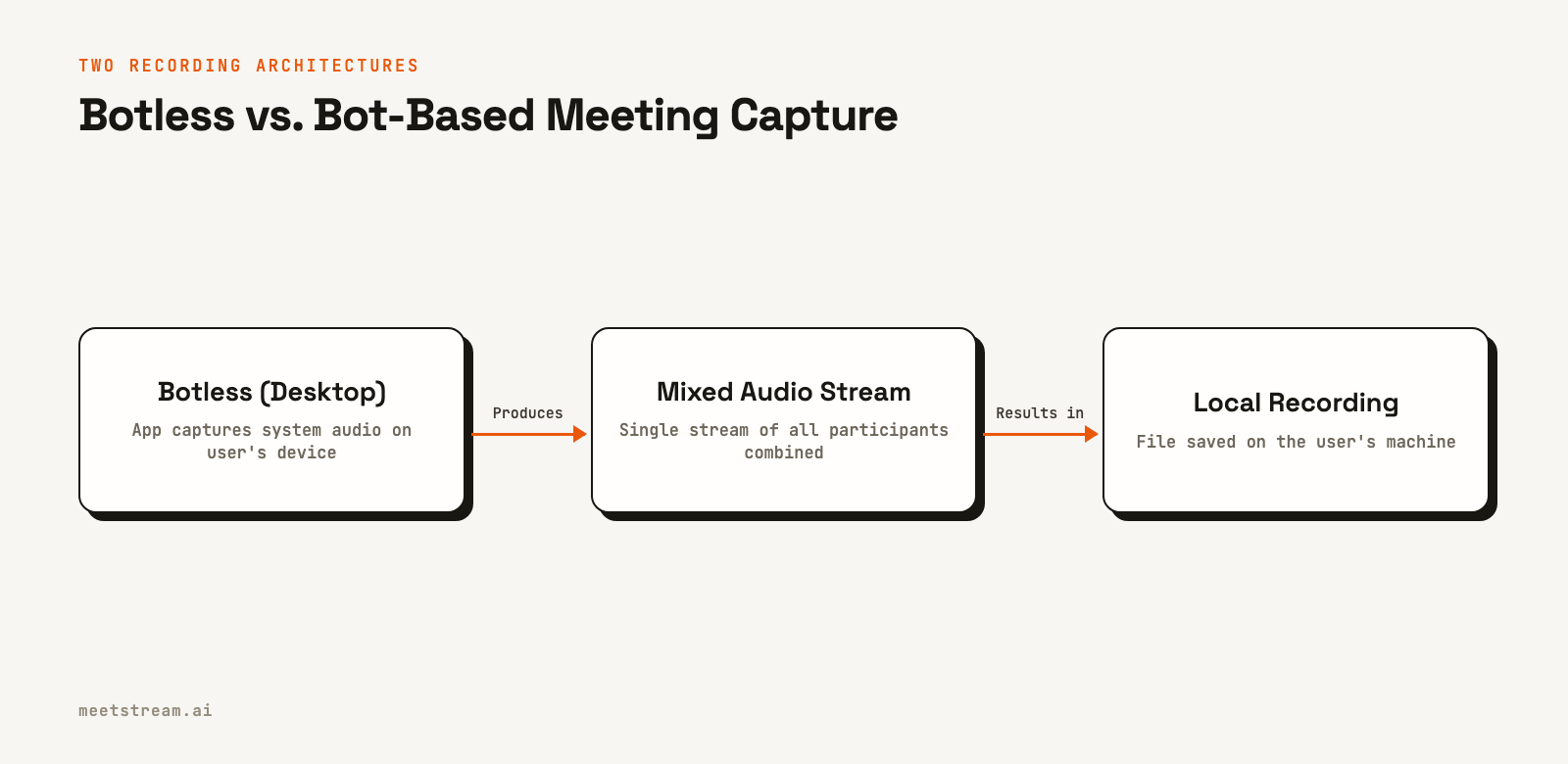
The second is a platform-native API, where the meeting vendor gives you the media directly. These are not botless in the desktop-capture sense, but they also avoid adding a visible participant. They come with their own constraints: limited platform coverage, account-level setup, and admin consent you do not control.
What a Meeting Bot Does Differently
A meeting bot is a participant. It receives a meeting link, authenticates, navigates the pre-join screen, waits in the lobby if needed, and then records the call just as a human attendee would. The capture happens on the bot's infrastructure, not on a user's laptop.
This server-side model changes three things. First, you do not need anyone to install software, so you can record a call where the host is on a phone or a conference room system. Second, the recording does not depend on one participant's battery, network, or CPU. Third, because the bot is the same on every platform, one integration can cover Zoom, Google Meet, and Microsoft Teams. You can see platform-specific guides for Google Meet and Microsoft Teams.
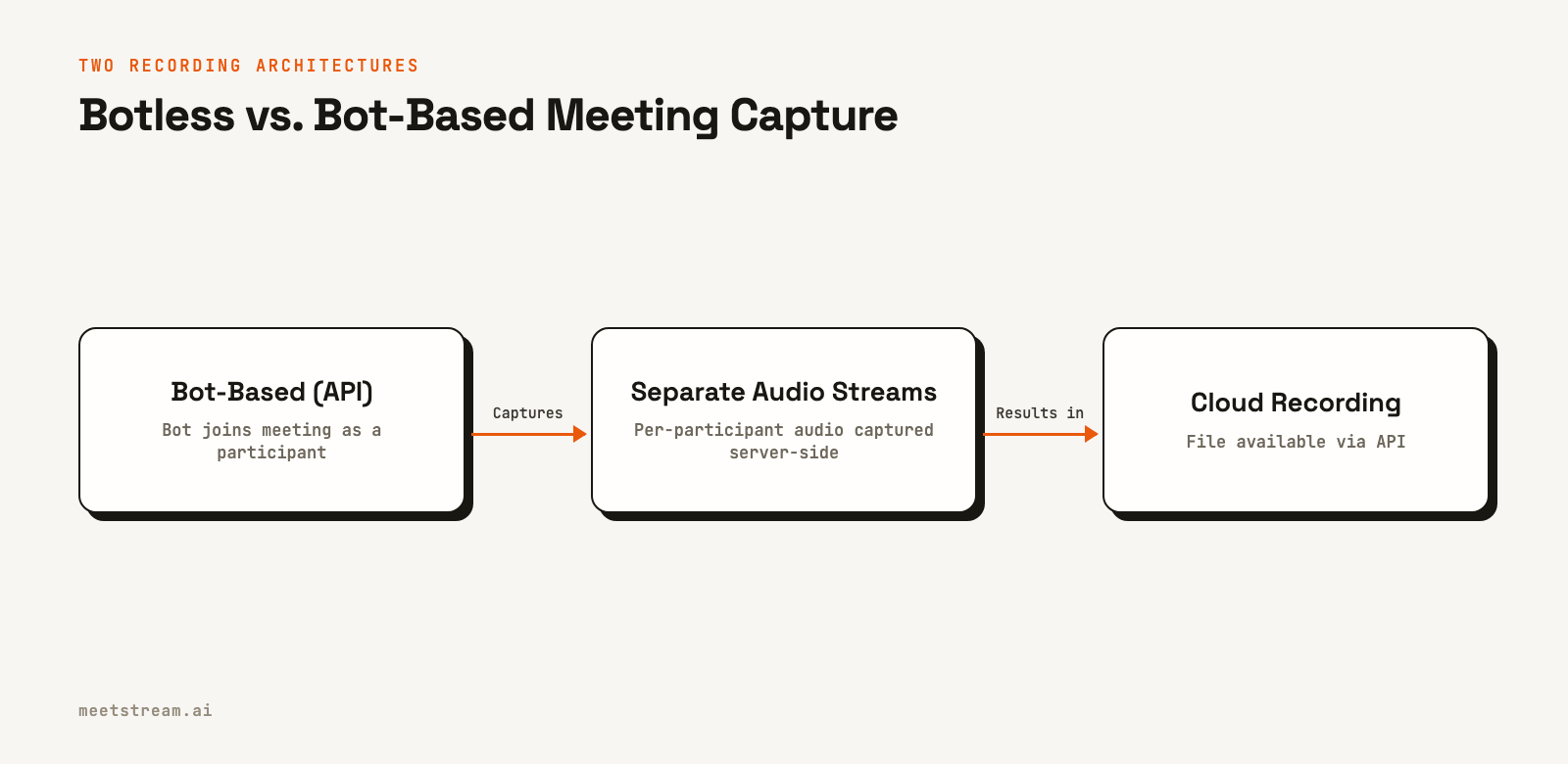
The tradeoff is visibility. A bot appears in the participant list with a name. For some products this is a feature, because an attributed recorder is transparent about what is happening. For others, it is friction. This is the core of the comparison.
The Tradeoffs, Side-by-Side
The two approaches differ on a few key points that define a project's scope. Here is a direct comparison.
| Botless (Desktop SDK) | Meeting Bot (Server-Side) | |
|---|---|---|
| Visible in the call | No extra participant | Yes, appears as an attendee |
| Needs software installed | Yes, on the recording user's device | No |
| Platform coverage | Anything audible on the device | Zoom, Meet, Teams (via API) |
| Captures when host is on phone | No, only that one device | Yes |
| Per-participant audio | Hard, usually one mixed stream | Yes, separate streams available |
| Reliability dependency | User's machine, battery, network | Vendor infrastructure |
| Server-side capture | No, tied to a running app | Yes |
| Consent clarity | Implicit, easier to miss | Explicit, the recorder is named |
The split is clear. Botless wins on footprint and on capturing anything a device can hear. Bots win on coverage without installs, server-side reliability, and clean per-participant audio. This last point is important for accurate speaker diarization.
Per-participant audio is difficult for a desktop recorder because the operating system usually provides one mixed output stream. A bot, which the platform treats as a real participant, can request separate streams. This makes transcription more accurate when people talk over each other. You can learn more in our guide to capturing clean audio.
The other point is reliability. A botless recorder runs inside an app on a person's machine, so it inherits that machine's failure modes: the laptop sleeps, the OS revokes permissions, the app crashes. A server-side bot moves those failure modes to infrastructure that can be monitored and retried. Neither is immune to failure, but you should pick the failure domain you can control.
Compliance and Consent
This is where teams often make the wrong choice. Botless recording feels more private because nothing appears in the meeting. In practice, it can make consent harder because people on the call have no signal they are being recorded. Many jurisdictions require all-party consent for recording, and "we recorded it and no one saw the recorder" is a weak position.
A named bot is the more transparent option. Everyone can see that "Notetaker" joined, which is a form of notice. This does not replace getting consent, but it changes the default from quiet to visible. If your customers are in healthcare or finance, they will ask how recording is disclosed, and a visible recorder is an easier answer.
There is a compliance angle that cuts the other way. If you cannot send meeting media to a third party, a desktop SDK that keeps audio on the user's device may be the only acceptable architecture. This is a strong reason to go botless or self-hosted. MeetStream addresses some of this with available US and EU data residency, which helps with data sovereignty requirements.
When Each One Wins
The decision comes down to a few concrete scenarios.
Botless desktop capture wins when you are shipping an app that the user already installs, need to record in-person or hybrid meetings, or have a data policy that forbids sending media off-device. The defining trait is that you control the endpoint, and a person is present to run the app.
A meeting bot wins when you cannot assume anyone will install software, need to record calls hosted on machines you do not control, want one integration for Zoom, Meet, and Teams, and require server-side reliability. It is also the only path to getting per-participant audio and building real-time voice agents that can interact in the call.
The honest framing is that bots and botless capture solve different problems. If your meetings are virtual, hosted on machines you do not control, and you are building a backend feature rather than a desktop app, a bot-based API is the direct path.
How MeetStream Fits In
MeetStream is an agent-first platform that uses bots to give AI a presence in meetings. There is no MeetStream desktop SDK. If your use case is in-person capture or zero-footprint recording, a different tool is a better fit. Where MeetStream fits is the bot path: one API that puts an agent into Zoom, Google Meet, and Microsoft Teams without installs, captures media server-side, and provides the real-time streams needed for interactive AI.
You send one request with a meeting link, and a bot joins.
curl -X POST "https://api.meetstream.ai/api/v1/bots/create_bot" \
  -H "Authorization: Token <YOUR_API_KEY>" \
  -H "Content-Type: application/json" \
  -d '{
    "meeting_link": "<YOUR_MEETING_LINK>",
    "bot_name": "Notetaker",
    "recording_config": {
      "transcript": { "provider": { "meetstream": {} } }
    },
    "callback_url": "https://your-app.com/webhooks/meetstream"
  }'
The response returns a bot_id. When the meeting ends, MeetStream sends a transcription.processed webhook so your app can fetch the speaker-labeled transcript. Because the bot is a real participant, you can request per-participant audio streams.
If you need the transcript live, you can add a streaming target to receive text as people speak.
curl -X POST "https://api.meetstream.ai/api/v1/bots/create_bot" \
  -H "Authorization: Token <YOUR_API_KEY>" \
  -H "Content-Type: application/json" \
  -d '{
    "meeting_link": "<YOUR_MEETING_LINK>",
    "bot_name": "Live Assistant",
    "live_transcription_required": {"webhook_url": "https://your-app.com/live"}
  }'
Each webhook payload contains the speakerName, a running transcript, a timestamp, and a detailed words array. This is the data live coaching and in-call agents need. The same bot can speak back into the call and post chat messages, turning a passive recorder into an active agent. The full details are in our API documentation.
Conclusion
Botless meeting recording and meeting bots are answers to different problems. If you control the user's device and need to capture in-person audio, a botless desktop recorder is the right choice. If you need to record calls without installs, want server-side reliability, and are building AI agents that need to participate in calls across Zoom, Google Meet, and Microsoft Teams, a bot is the direct path. Decide based on visibility, platform coverage, and your data requirements, then pick the architecture that matches. If the bot path is yours, see the full Meeting Bot API reference.
Frequently Asked Questions
What is a botless meeting recorder?
A botless meeting recorder captures a meeting without adding a visible participant. It usually works through a desktop or mobile SDK that records the device's own audio and screen. This requires a software install on the user's device.
Is botless recording better than a meeting bot?
Neither is better in all cases. Botless capture wins when you control the user's device and need to record in-person audio. A meeting bot wins when you need to record without installs and want server-side reliability and per-participant audio across major platforms.
Can you record a Zoom or Teams meeting without a bot?
Yes, using a desktop recording SDK that captures the device's audio, or with a platform-native API like Zoom's. Both approaches avoid adding an attendee but require either installed software or account-level admin consent, which a server-side bot does not.
Is a botless recorder more compliant because it is hidden?
Not always. A hidden recorder can make consent harder, since participants get no signal they are being recorded. A named bot is often more transparent because everyone can see the recorder has joined the call, which serves as a form of notice.
Does MeetStream offer a botless desktop recording SDK?
No, MeetStream is a bot-based API platform. If you need in-person or desktop capture with no meeting footprint, a desktop SDK is the right tool. If you need server-side recording and a platform for AI agents across Zoom, Meet, and Teams, MeetStream fits.


