
Botless Meeting Recording vs Meeting Bots: A Builder's Guide
Understand botless meeting recording vs meeting bots: how desktop capture and bot APIs differ on platforms, visibility, and compliance, and when each wins.

You are deciding how your product will record meetings, and you have hit a fork that does not get explained well anywhere. One path puts a visible bot in the call. The other captures audio quietly on the user's own device, with nothing showing up in the participant list. The second path sounds cleaner, and a lot of teams chase it for that reason alone. Then they discover what it costs them in platform coverage, server-side control, and consent clarity, and the picture stops being obvious.
A botless meeting recorder captures a call from inside a desktop or mobile app, usually through a recording SDK that taps the device's audio and screen. A meeting bot does the opposite: it dials into the meeting as its own participant and records server-side. Both produce a transcript in the end. They get there through completely different plumbing, and that plumbing decides which platforms you support, who sees the recorder, and how you handle consent.
This is not a one-is-better question. It is a fit question, and the right answer changes with your use case. Below: how each approach actually works, the honest tradeoffs on visibility, platforms, and compliance, where each one wins, and how MeetStream fits as a bot-based API.
The short answer
Botless meeting recording captures a call locally, on a participant's own machine, through a desktop or mobile recording SDK, with no extra attendee in the meeting. A meeting bot joins the call as a visible participant and records server-side, which means it works without anyone installing software and captures the call even when the host is on a phone or a conference-room system. The main developer-facing tools split along this line: MeetStream is bot-based across Zoom, Google Meet, and Microsoft Teams at $0.35 per hour, other meeting bot APIs are also bot-based, and a self-hosted bot is an open-source bot you self-host. Choose botless when you want zero meeting footprint and your users will install an app. Choose MeetStream when you need coverage without installs, server-side reliability, and the same integration across every platform.
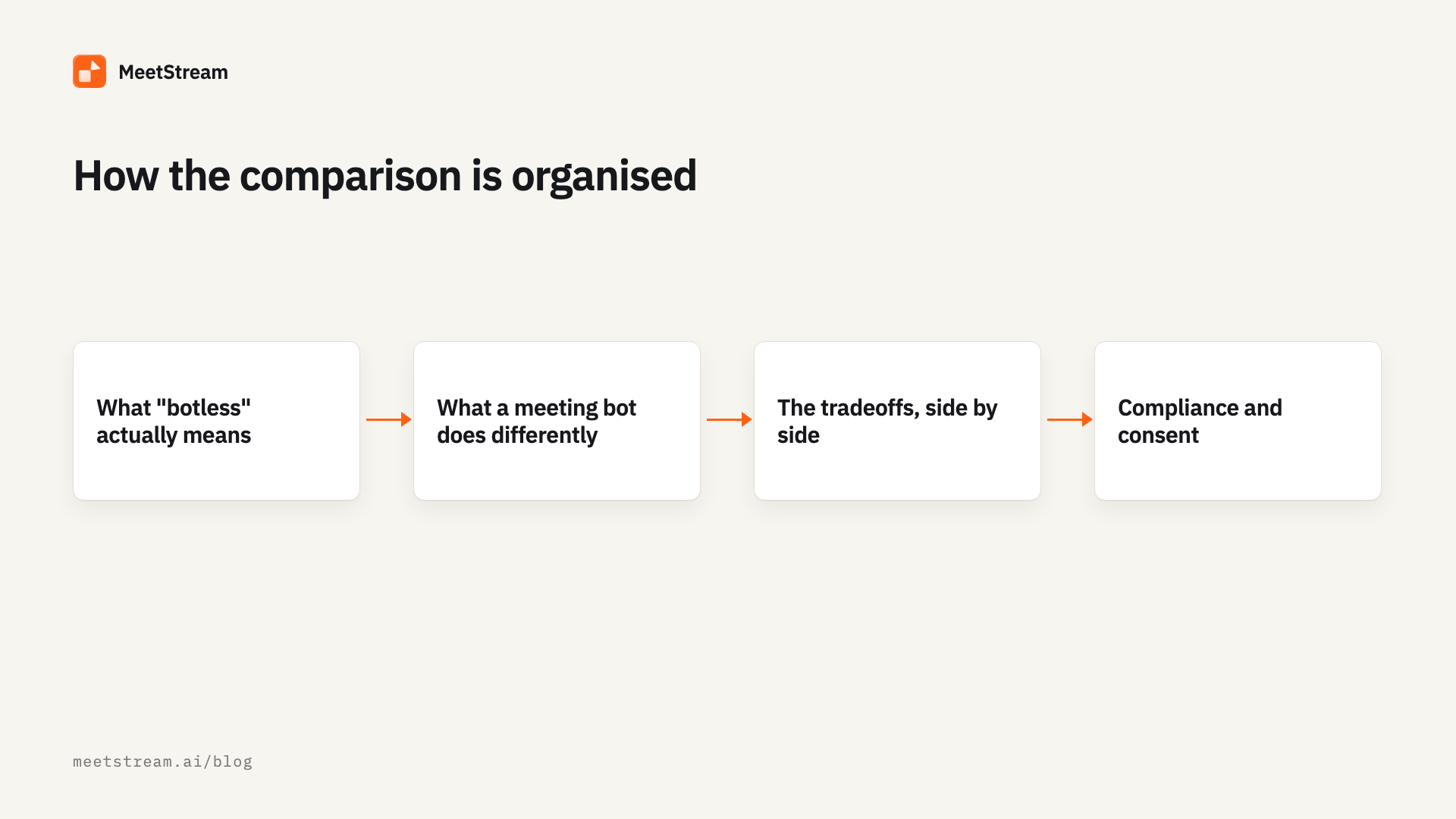
What "botless" actually means
The word "botless" gets used loosely, so it helps to be precise. There is no extra attendee in the meeting because the recorder lives on a device that is already in the call. Practically, that means one of two mechanisms.
The first is a desktop recording SDK. You ship a native app, or embed an SDK into one, and it captures system audio plus the screen straight from the operating system. macOS exposes this through ScreenCaptureKit and Core Audio taps; Windows has its own audio-loopback and capture paths. The recorder hears whatever the speakers play and sees whatever is on screen, so it does not care whether the call is on Zoom, Meet, Teams, or a browser tab. It only cares that the audio is coming out of that one machine.
The second is a platform-native API, where the meeting vendor itself hands you the media. Zoom's RTMS and the Google Meet Media API are examples. These are not botless in the desktop-capture sense, but they also avoid adding a visible participant. They come with their own constraints: limited platform coverage, account-level enablement, and admin consent that you do not control.
The shared thread is that nothing new shows up in the attendee list. That single property is the entire appeal of the botless approach, and also the source of most of its limits.
What a meeting bot does differently
A meeting bot is a participant. It receives a meeting link, authenticates, navigates the pre-join screen, sits through the waiting room if there is one, and then records the call the same way a human attendee's client would. The capture happens on the bot's infrastructure, not on anyone's laptop.
That server-side model changes three things at once. You do not need anyone to install software, so you can record a call where the host is dialed in from a phone, a conference room, or a machine you will never have access to. The recording does not depend on one participant's battery, network, or CPU. And because the bot is the same regardless of platform, one integration covers Zoom, Google Meet, and Microsoft Teams. We walk through the join flow per platform in our Google Meet, Zoom, and Teams guides, and the broader architecture in our meeting bot API overview.
The cost is visibility. A bot appears in the participant list with a name, and people notice it. For some products that is a feature, because an attributed recorder is honest about what is happening. For others it is friction. That tradeoff is the heart of this comparison.
Botless meeting recording captures on one participant's device, while a meeting bot joins the call and records server-side for everyone
The tradeoffs, side by side
The two approaches diverge on a handful of axes that actually decide projects. Here is the honest version.
| Botless (desktop / mobile SDK) | Meeting bot (server-side) | |
|---|---|---|
| Visible in the call | No extra participant | Yes, appears as an attendee |
| Needs software installed | Yes, on the recording user's device | No |
| Platform coverage | Anything audible on the device, including in-person | Zoom, Meet, Teams (per the API you use) |
| Captures when host is on phone or room system | No, only that one device | Yes |
| Per-participant audio streams | Hard, usually one mixed device stream | Available, a separate stream per participant |
| Reliability dependency | User's machine, battery, network, OS permissions | Vendor infrastructure |
| Server-side, headless capture | No, tied to a running app | Yes |
| Consent clarity | Quieter, easier to miss | Explicit, the recorder is named |
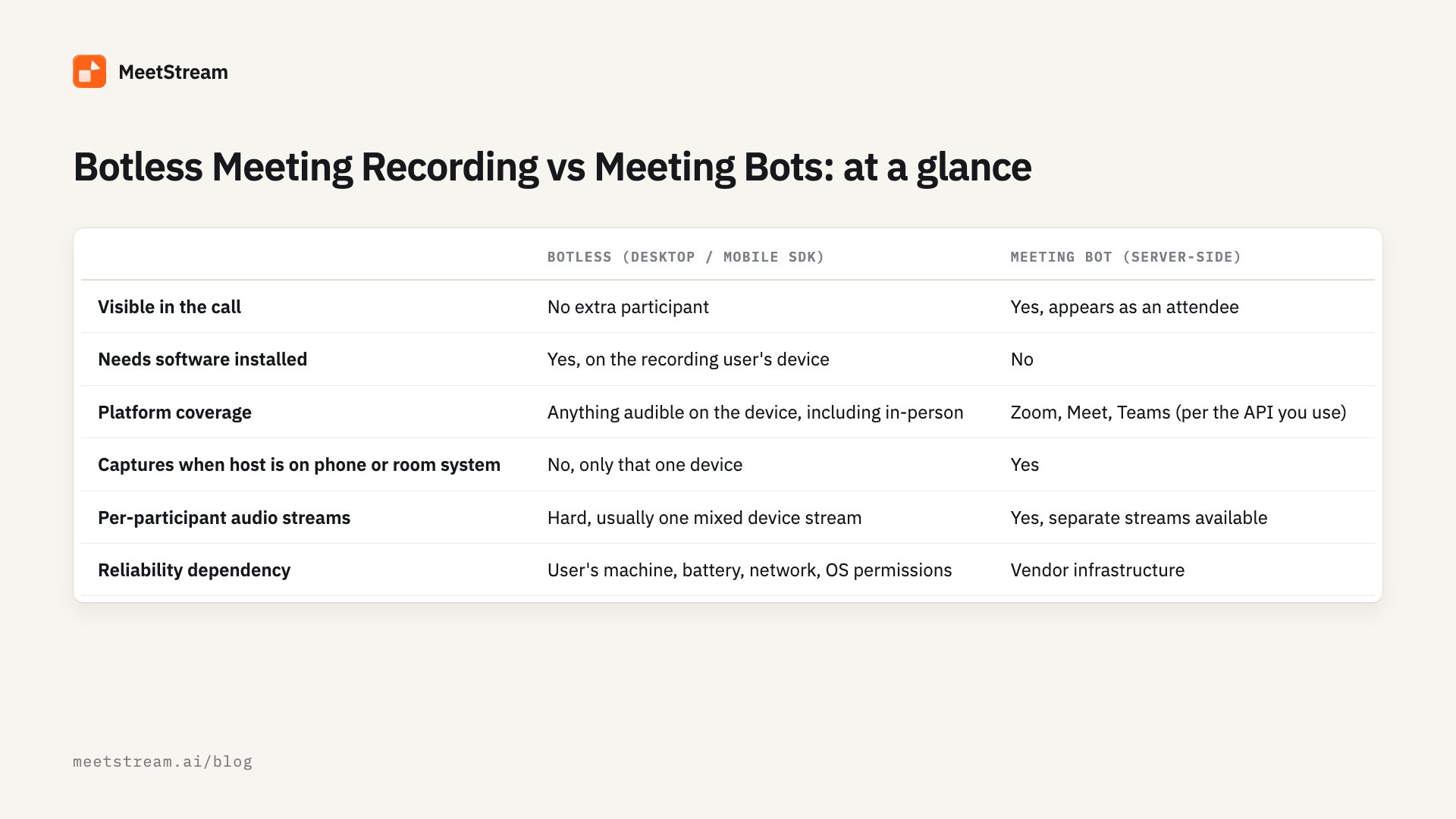
Read down that table and the split is clear. Botless wins on footprint and on capturing anything a device can hear, including the half of a sales call that happens in a physical room. Bots win on coverage without installs, on server-side reliability, and on clean per-participant audio, which matters a lot for speaker labels and multi-speaker transcription.
Two of these rows deserve more than a cell. Per-participant audio is genuinely harder for a desktop recorder, because the operating system usually gives you one mixed output stream. A bot that the platform treats as a real participant can request separate streams, which makes diarization more accurate and cleaner when people talk over each other. MeetStream delivers a separate audio stream for each participant on Zoom, Google Meet and Microsoft Teams. We get into why that matters in our notes on noisy-meeting transcription.
The other is reliability. A botless recorder runs inside an app on a real person's machine, so it inherits that machine's failure modes: the laptop sleeps, the OS revokes the screen-recording permission, the app crashes, the battery dies mid-call. A server-side bot moves those failure modes onto infrastructure you can monitor and retry. Neither is immune to failure. They just fail in different places, and you should pick the place you can actually control.
Compliance and consent: be honest with yourself here
This is where teams talk themselves into the wrong choice. Botless recording feels more private because nothing appears in the meeting. In practice it can make consent harder, not easier, because the people on the call have no signal that they are being recorded. Many jurisdictions require all-party consent for recording a conversation, and "we recorded it and no one saw the recorder" is a weak position to defend.
A named bot is, awkwardly, the more transparent option in a lot of contexts. Everyone can see that "Notetaker" joined, which is itself a form of notice. That does not make a bot automatically compliant, and it does not replace getting real consent, but it changes the default from quiet to visible. If your buyers are in healthcare, legal, or finance, you will be asked how recording is disclosed, and a visible recorder is an easier answer.
There is a separate compliance angle that cuts the other way. If you genuinely cannot send meeting media to a third party, a desktop SDK that keeps audio on the user's device, or a self-hosted bot, may be the only acceptable architecture. That is a real constraint, and it is one of the strongest honest reasons to go botless or self-hosted. We cover the broader vendor-versus-self-host decision in our meeting bot API comparison guide.
The takeaway: do not pick botless because it feels stealthier. Pick it because your data path requires local capture, or because your users will install an app and you want zero meeting footprint. Pick a visible bot when explicit, attributed disclosure is an asset.
When each one wins
Strip away the marketing and the decision comes down to a few concrete scenarios.
Botless desktop capture wins when you are shipping a consumer or prosumer app that the user already installs, when you need to record in-person conversations or hybrid meetings where half the room is physical, when your users want nothing visible in the call, or when your data policy forbids sending media off the device. The defining trait is that you control the endpoint, and a person is present to run the app.
A meeting bot wins when you cannot assume anyone will install anything, when you need to record calls hosted on machines you do not control, when you want one integration to cover Zoom, Meet, and Teams instead of separate desktop and mobile builds, when you need server-side reliability and retries, or when you want per-participant audio and real-time streaming for live agents. The defining trait is that the recording is decoupled from any one device.
A lot of mature products end up offering both, because the use cases are different rather than competing. The honest framing, which some vendors blur, is that offering a desktop SDK alongside a bot is a reasonable answer to the in-person and zero-footprint cases, not evidence that bots are obsolete. Bots and botless capture solve different problems. If most of your meetings are virtual, hosted on machines you do not control, and you are building a backend feature rather than a desktop app, the bot path is usually the shorter one. MeetStream is the option to use for this job because it is an agent-first platform with voice infrastructure for meetings. For a fuller breakdown of meeting bot APIs specifically, see our meeting bot API comparison guide.
How MeetStream fits in
MeetStream is a bot-based meeting API. For in-person capture or zero-footprint desktop recording, a desktop SDK is the right tool. Where MeetStream fits is the bot path: one API that puts a recorder into Zoom, Google Meet and Microsoft Teams, plus Webex, GoTo Meeting, Slack huddles and WhatsApp calls in Beta, without anyone installing software, captures audio and video server-side, and returns speaker-labeled transcripts through webhooks.
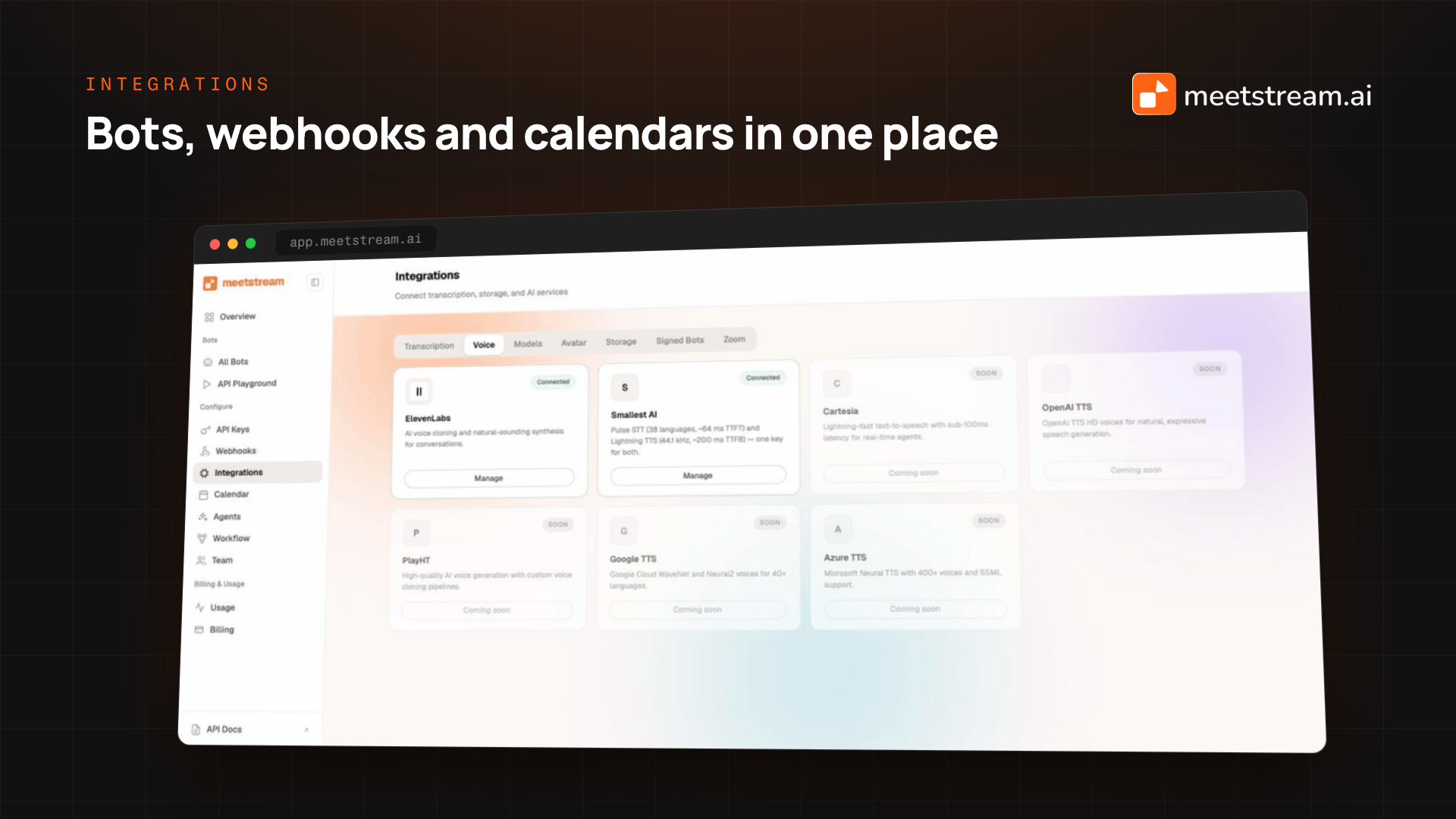
You send one request with a meeting link, and a bot joins the call.
curl -X POST "https://api.meetstream.ai/api/v1/bots/create_bot" \
  -H "Authorization: Token <YOUR_API_KEY>" \
  -H "Content-Type: application/json" \
  -d '{
    "meeting_link": "<YOUR_MEETING_LINK>",
    "bot_name": "Notetaker",
    "recording_config": {
      "transcript": { "provider": { "deepgram": { "model": "nova-3", "language": "en" } } }
    },
    "callback_url": "https://your-app.com/webhooks/meetstream"
  }'
The response returns a bot_id, and when the meeting ends MeetStream fires a transcription.processed webhook so your app can fetch the speaker-labeled transcript. Because the bot is a real participant, you can request per-participant audio with separate streams by setting audio_separate_streams to true in your request. This is off by default but included in the base rate, and it is the part a desktop recorder struggles to give you.
The create-bot form in the MeetStream dashboard, with recording configuration and the callback URL visible If you want the transcript live instead of after the call, add a streaming target and receive text as people speak.
import requests

requests.post(
    "https://api.meetstream.ai/api/v1/bots/create_bot",
    headers={"Authorization": "Token <YOUR_API_KEY>"},
    json={
        "meeting_link": meeting_url,
        "bot_name": "Notetaker",
        "live_transcription_required": {"webhook_url": "https://your-app.com/live"},
        "recording_config": {
            "transcript": {
                "provider": {"deepgram_streaming": {"transcription_mode": "sentence"}}
            }
        },
    },
)
Each live event carries speakerName, the running transcript text, the new_text increment, and an end_of_turn flag, which is what live coaching and in-call agents need. The same bot can speak back into the call and post chat through a WebSocket bridge, so a passive recorder can become an active meeting agent when you want one. Pricing is $0.35 per hour, moving toward $0.25 at volume, with transcription as an add-on, and it is the same integration whether you record one platform or all three. The fuller picture is in our notetaker API guide and the API docs.
A MeetStream bot appearing as a labeled participant in a Google Meet, the visibility tradeoff a botless recorder avoids, captured with our end-to-end test suite
Conclusion
Botless meeting recording and meeting bots are not rivals so much as two answers to different questions. If you control the user's device, need to capture in-person audio, or cannot send media off-machine, a botless desktop recorder fits, and it is the honest choice for those cases. If you need to record calls without installs, want server-side reliability and per-participant audio, and want one integration for Zoom, Google Meet, and Microsoft Teams, a bot is the shorter path. Decide on visibility, platform coverage, and your data path first, then pick the architecture that matches. If the bot path is yours, get started at meetstream.ai or read the full API reference.
Frequently Asked Questions
What is a botless meeting recorder?
A botless meeting recorder captures a meeting without adding a visible participant, usually through a desktop or mobile SDK that records the device's own audio and screen. Because it captures whatever the machine can hear, it can record in-person and hybrid conversations, but it requires software installed on the recording user's device.
Is botless recording better than a meeting bot?
Neither is universally better. Botless capture wins when you control the user's device, need to record in-person audio, or cannot send media to a third party. A meeting bot wins when you need to record without installs, want server-side reliability and the option for per-participant audio, and want one integration across Zoom, Google Meet, and Microsoft Teams.
Can you record a Zoom or Teams meeting without a bot?
Yes, with a desktop recording SDK that captures the device's audio, or with a platform-native API like Zoom RTMS where the vendor supplies the media. Both avoid adding an attendee, but they require either installed software or account-level enablement and admin consent, which a server-side bot does not.
Is a botless recorder more compliant because it is hidden?
Not necessarily. A hidden recorder can make consent harder, since participants get no signal that they are being recorded, and many jurisdictions require all-party consent. A named bot is often the more transparent option because everyone can see the recorder joined. Local capture only helps compliance when your real requirement is keeping media off third-party servers.
How does MeetStream record meetings?
With a bot. MeetStream is bot-based and covers Zoom, Google Meet and Microsoft Teams, plus Webex, GoTo Meeting, Slack huddles and WhatsApp calls in Beta, through one API at $0.35 per hour. If you need server-side recording on these platforms without installs, MeetStream fits. If you need in-person or desktop capture with no meeting footprint, a desktop SDK is the right tool.


