
Meeting Bot Infrastructure: What Developers Need to Know

Building meeting bot infrastructure is a multi-layered engineering challenge that many teams underestimate. The task appears simple: join a call, capture the audio, and process it. In practice, projects planned for a few sprints can extend for months, consumed by debugging headless browsers, adapting to breaking platform API changes, and managing resource contention at scale.
This complexity has created a clear case for managed APIs. Before making a build-or-buy decision, it is important to understand what the infrastructure involves. MeetStream is an agent-first platform providing voice infrastructure for meetings, allowing AI agents to join as participants to hear, speak, and act. We have processed over a million meeting minutes, giving us a direct view of the failure modes and operational costs of running this stack in production.
This article breaks down the technical architecture of meeting bot infrastructure. We will cover each layer of the stack, where complexity concentrates, and what a managed platform abstracts away versus what your team owns regardless.
Platform Integration and Authentication
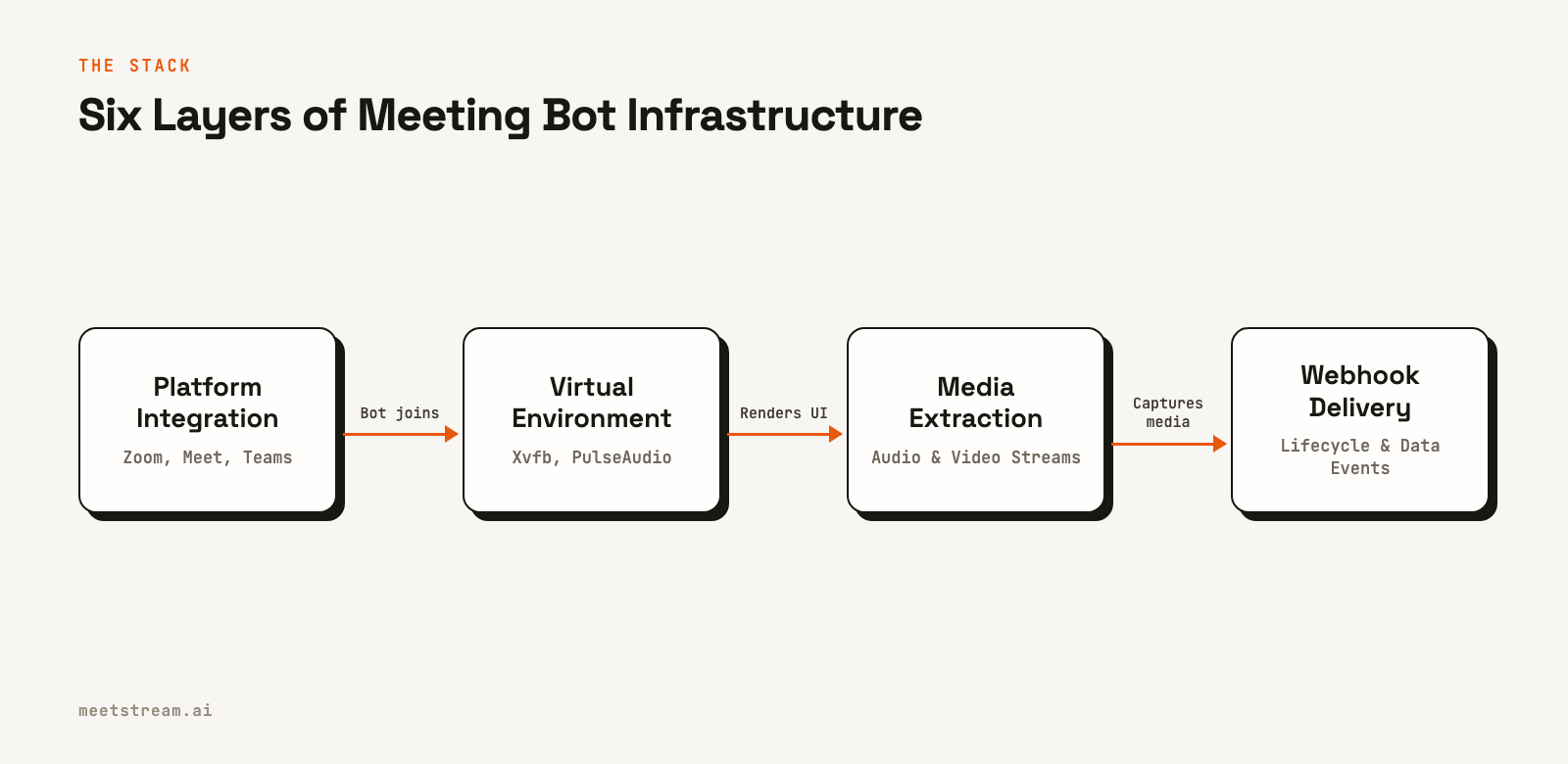
The first layer is getting a bot into a live video call. Each major platform has different technical and policy requirements for automated participants.
Google Meet is the most direct. A bot can join a public meeting URL using a headless Chromium browser without special API credentials. The main engineering work involves automating the browser to navigate to the URL, grant virtual device permissions, and handle the in-meeting user interface.
Microsoft Teams can be automated with a browser, but the stable, compliant path is through the official Bot Framework. This requires registering an application in Azure and using the Graph API for communication and control, which adds setup overhead but provides more reliable integration.
Zoom is the most restrictive. Production bots must be part of an application registered in the Zoom App Marketplace. This requires using Zoom's Meeting SDK and complying with their security reviews and policy updates. Since early 2026, bots must also use an On Behalf Of (OBF) token for authentication, which requires a user who has authorized your app to be present in the meeting. This path is complex but necessary for building a stable Zoom meeting bot.
Maintaining three separate integration paths and keeping current with each platform's policy changes is a significant and ongoing engineering cost.
Virtual Display and Audio Environments
For browser-based capture on platforms like Google Meet, the bot process needs a complete virtual environment to run inside a Linux container. This typically involves two key components.
Xvfb, or the X Virtual Framebuffer, provides a virtual display. The headless browser renders the meeting's user interface to this in-memory display. This allows the bot to "see" the meeting, which is necessary for capturing video with tools like ffmpeg or browser-native APIs.
PulseAudio creates a virtual audio device. The browser's WebRTC engine decodes and plays participant audio to this device. The bot process can then capture the mixed audio from a virtual audio sink. This setup allows the bot to hear everything said in the meeting.
Managing these virtual devices at scale introduces specific failure modes. Xvfb instances can have memory leaks in long sessions, and PulseAudio can become unresponsive if the browser process crashes. A production system needs to monitor these resources, detect failures, and automatically recover containers to prevent bots from dropping from calls unexpectedly.
Media Extraction and Processing
Once a bot is in a call, it can begin extracting media. This happens in two primary modes: post-call recording for asynchronous analysis and real-time streaming for live applications.
Post-call recording is the simpler approach. The bot captures the audio and video from the virtual devices, encodes it, and saves it for later. Key decisions here involve choosing a format, like PCM for raw audio or Opus for efficient compression, and a storage destination.
Extracting per-participant audio is more difficult. On Zoom, the SDK provides fully isolated audio streams for each participant. On Google Meet and Microsoft Teams, this is not directly available. Instead, you can get partially separated audio by identifying the dominant speaker, which provides speaker attribution for up to three concurrent speakers but not fully isolated tracks. This requires careful manipulation of the Web Audio API and parsing the meeting UI to map audio tracks to participant names.
Real-time audio streaming is required for live use cases like AI coaching or voice agents. This involves capturing audio frames, encoding them, and sending them over a WebSocket with very low latency. A real-time audio streaming API must handle network fluctuations without corrupting the audio data to ensure a smooth experience for the downstream application.
Scaling and Container Orchestration
Running a single bot is straightforward. Running hundreds of concurrent bots requires a reliable container orchestration system. Each bot is a resource-intensive process, consuming significant CPU and memory for its browser instance, virtual display, and media encoding. Scheduling these processes across a cluster of machines without contention is a real infrastructure challenge.
A key requirement is rapid spin-up. When a meeting is about to start, the system must be able to provision and launch a new bot container in seconds. This requires an effective autoscaling strategy that can respond to demand spikes, such as many meetings starting at the top of the hour, without compromising join times.
Geographic distribution also affects performance. A bot running in a US data center will introduce noticeable latency when joining a call with participants in Europe or Asia. A production platform mitigates this by running bot infrastructure in multiple geographic regions and routing join requests to the closest location.
Webhook Delivery and Event Handling
The final layer is delivering processed data and lifecycle events to your application. A bot's journey generates many events: `bot.joining`, `bot.inmeeting`, `transcription.processed`, and `bot.stopped`. These are typically sent to a developer-provided webhook endpoint.
Reliable webhook delivery is harder than it seems. Customer endpoints can go down, return errors, or time out. Workspace webhooks are signed and logged, and you can resend any delivery from the dashboard. The receiving application should still be highly available and respond immediately with a 2xx status code before starting any long-running processing.
Your webhook handler should be idempotent, meaning it can safely process the same event multiple times without creating duplicate data. It should also be fast, queueing events for background processing to avoid timeouts. The developer is responsible for building the reliability layer on their end, as assuming guaranteed, retried delivery from the provider is a common point of failure.
How MeetStream Fits In
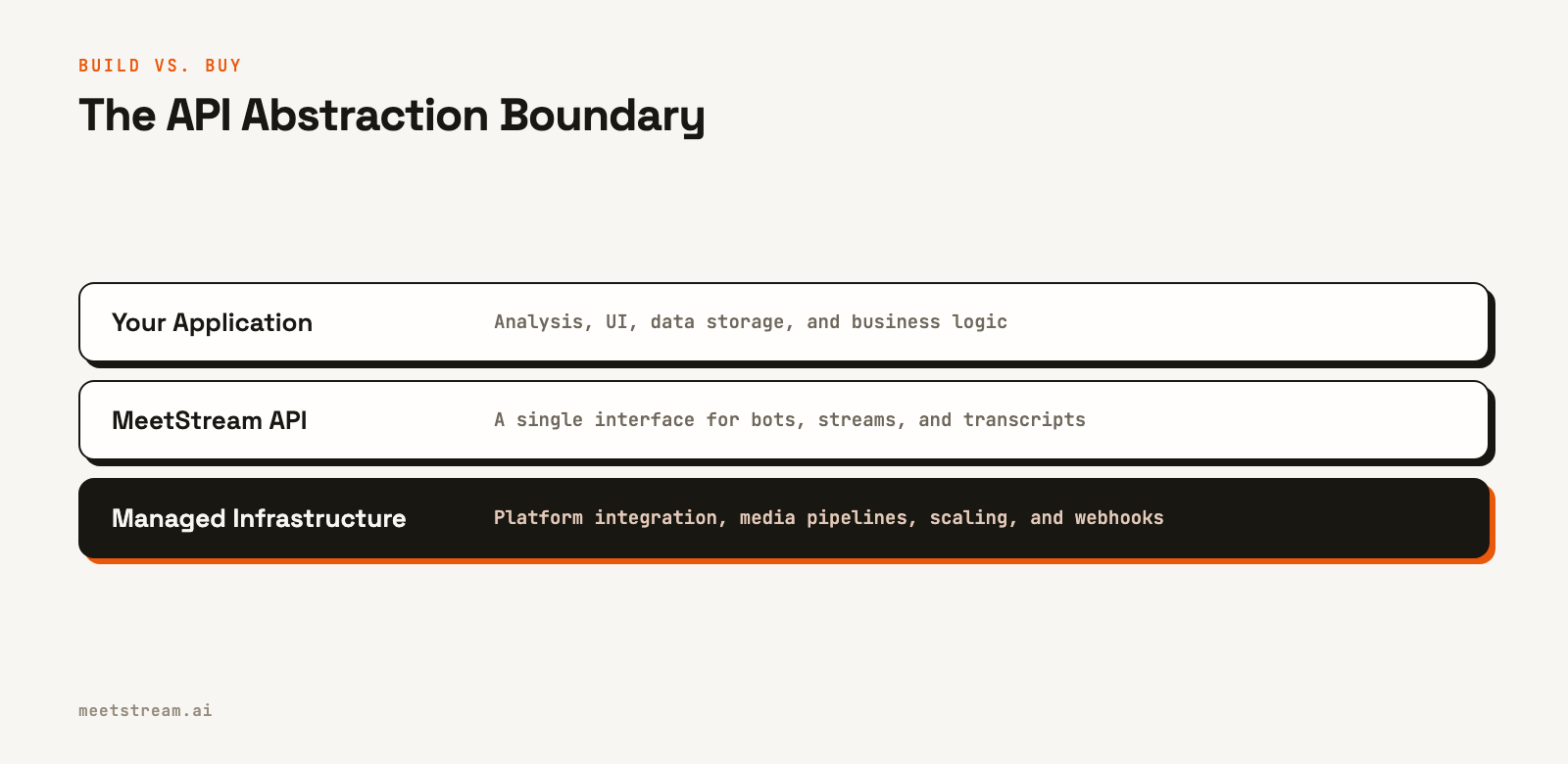
MeetStream manages the entire infrastructure stack described here, from platform-specific integrations to media extraction and event delivery. Our Meeting Bot API provides a single, unified interface for deploying bots and AI agents into Zoom, Google Meet, and Microsoft Teams.
You send a POST request with a meeting link, and MeetStream handles the complexity of joining the call, capturing media, and sending you structured data via webhooks. This abstracts away the undifferentiated heavy lifting of building and maintaining the five layers of infrastructure. The platform is designed for developers building AI applications on top of meetings, offering capabilities like AI voice agents, real-time audio streams, and managed transcription.
Conclusion
Meeting bot infrastructure involves a deep and complex stack. The five layers, platform integration, virtual environments, media extraction, scaling, and webhook delivery, each contain significant engineering challenges and ongoing operational costs. Understanding this full stack is key to making an informed build-versus-buy decision for your product.
For most teams, building and maintaining this infrastructure is not a core differentiator. A managed API allows you to focus on your application's unique value instead of the plumbing. See the full API reference at docs.meetstream.ai.
Frequently Asked Questions
What does meeting bot infrastructure involve technically?
It involves integrating with each video platform's API, managing virtual displays and audio for browser automation, building media extraction pipelines for audio and video, orchestrating containers to scale concurrent bots, and delivering events via webhooks. Each layer requires specialized engineering and ongoing maintenance.
Why is building a meeting bot so complex?
The complexity comes from the operational overhead. This includes handling different platform requirements like Zoom's App Marketplace, managing resource-intensive browser processes at scale, extracting per-participant media streams, and ensuring reliable performance across different geographic regions.
What is the difference between post-call and real-time audio?
Post-call audio is recorded during the meeting and delivered as a file after the call ends, which is suitable for asynchronous transcription and analysis. Real-time audio is streamed over a WebSocket during the meeting with low latency, enabling live features like AI agents and real-time coaching.
How do meeting bot platforms handle Zoom's requirements?
Compliant platforms maintain a registered application in the Zoom App Marketplace. This involves a rigorous security review and ongoing adherence to Zoom's policies, including the use of specific authentication methods like OBF tokens. Using browser automation without an approved app violates Zoom's terms and is not stable for production use.
What should I look for in a meeting bot API?
Look for a platform that supports all major video providers through a single API. It should offer both real-time streaming and post-call recording, provide clear documentation, and handle the scaling and operational complexity so your team can focus on building your application's features.


