Put Claude in Google Meet as your own agent
Claude in Google Meet, built your way: MeetStream joins the call, and Claude is the model your agent thinks with. It hears each speaker, answers out loud or in chat, and runs inside your product.
How Claude joins a Google Meet call
You send a Google Meet link to the API. A bot joins the call, turns speech into text, passes it to Claude, and speaks the reply back into the room. In pipeline mode each step runs in turn.

One request with the link. No browser extension.
Each voice turned into text with speaker names.
Your prompt, your tools, your Anthropic key.
A natural voice reply in the call, or a chat post.
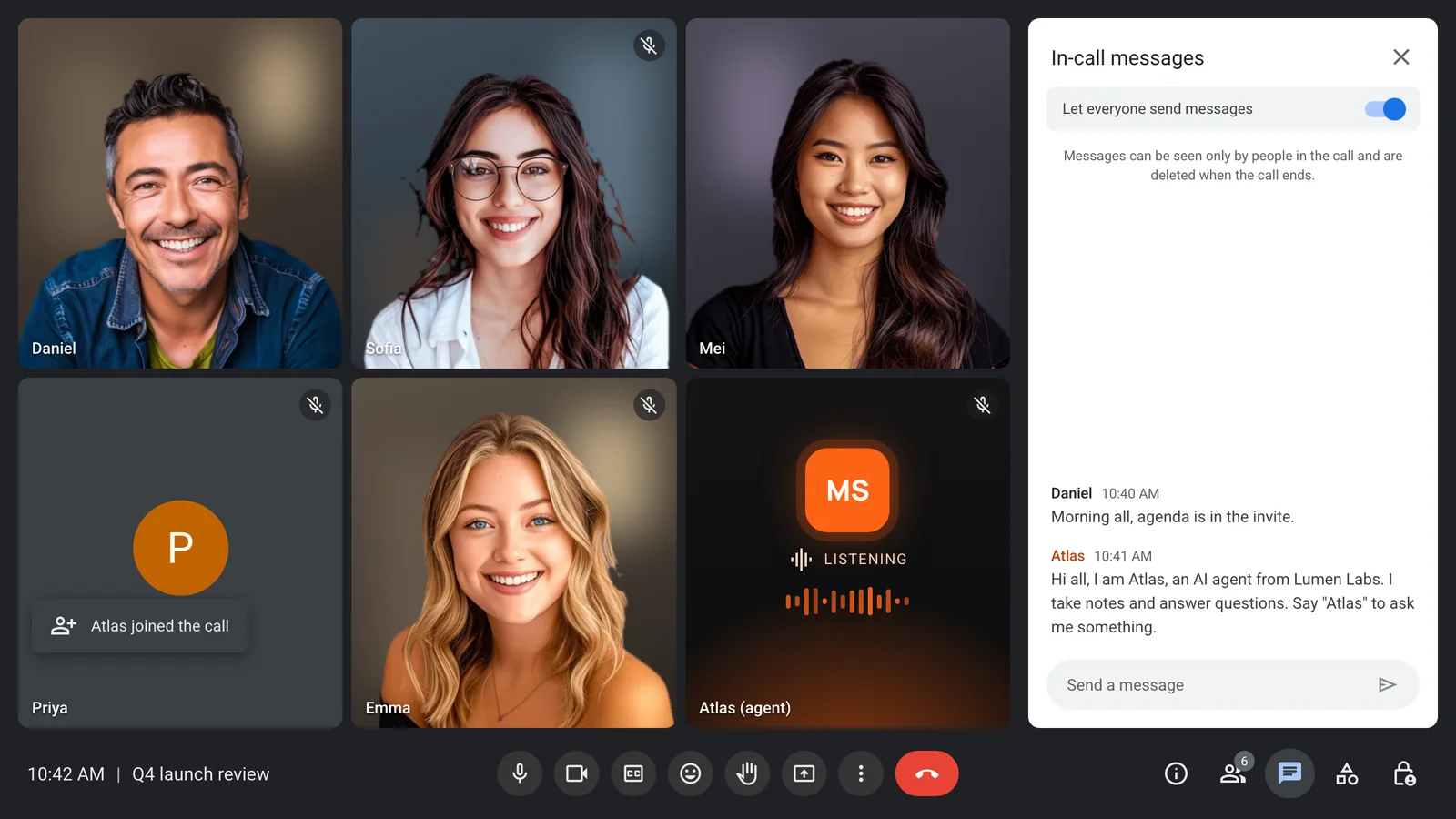
A named guest in the Meet grid
The bot shows up in the Google Meet grid under your product's name and posts a short hello in the chat when it arrives.
- Your agent name in the grid
- A hello in the meeting chat
- Signed in or as a guest
- A video frame you control
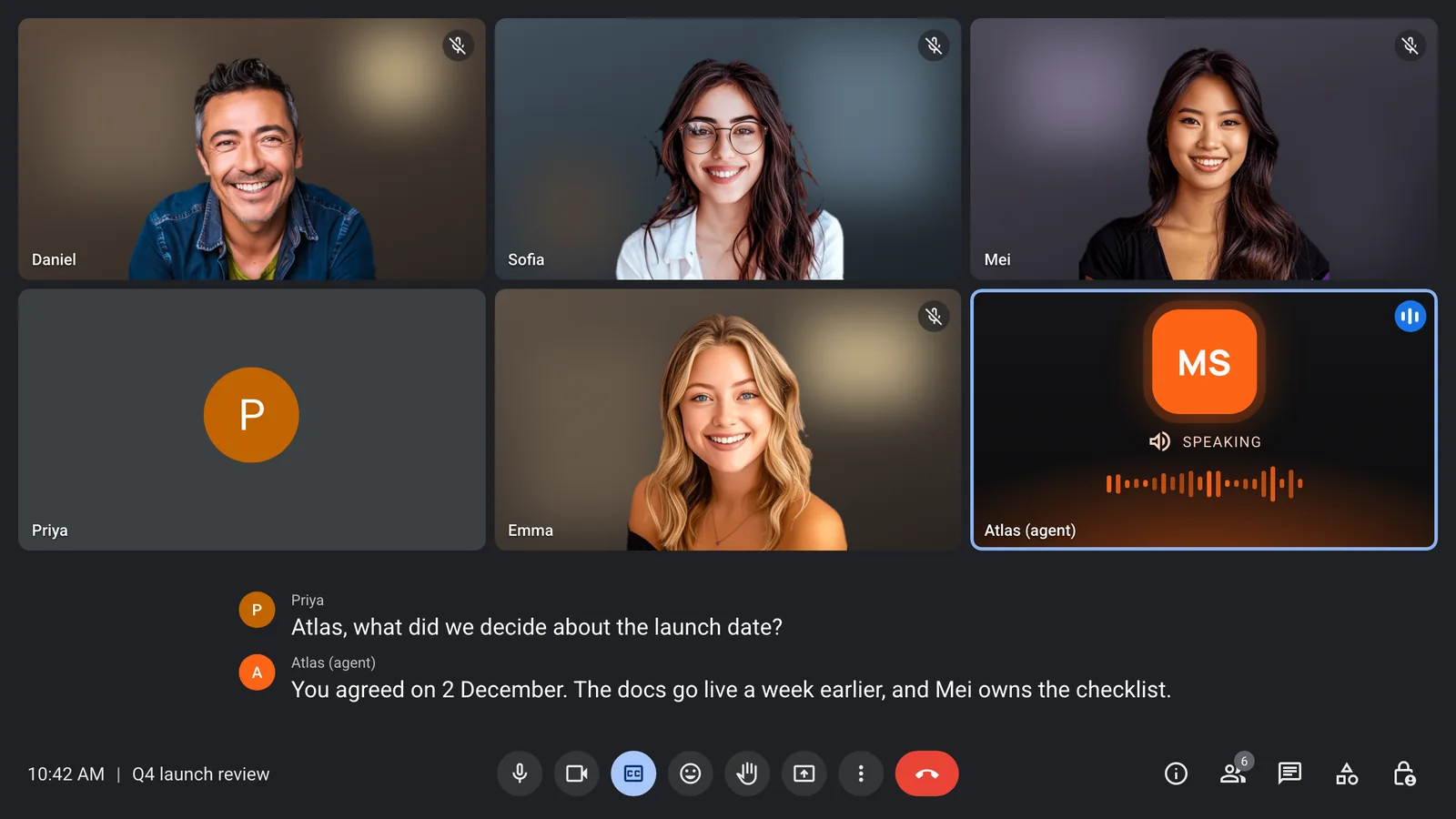
Claude answers when it hears its wake phrase
A wake phrase you set, such as the agent's name, keeps it quiet until someone calls on it. Then Claude answers out loud, and stops if someone cuts in.
- A wake phrase you set
- Quiet until it is called
- Stops if someone cuts in
- Echo control built in
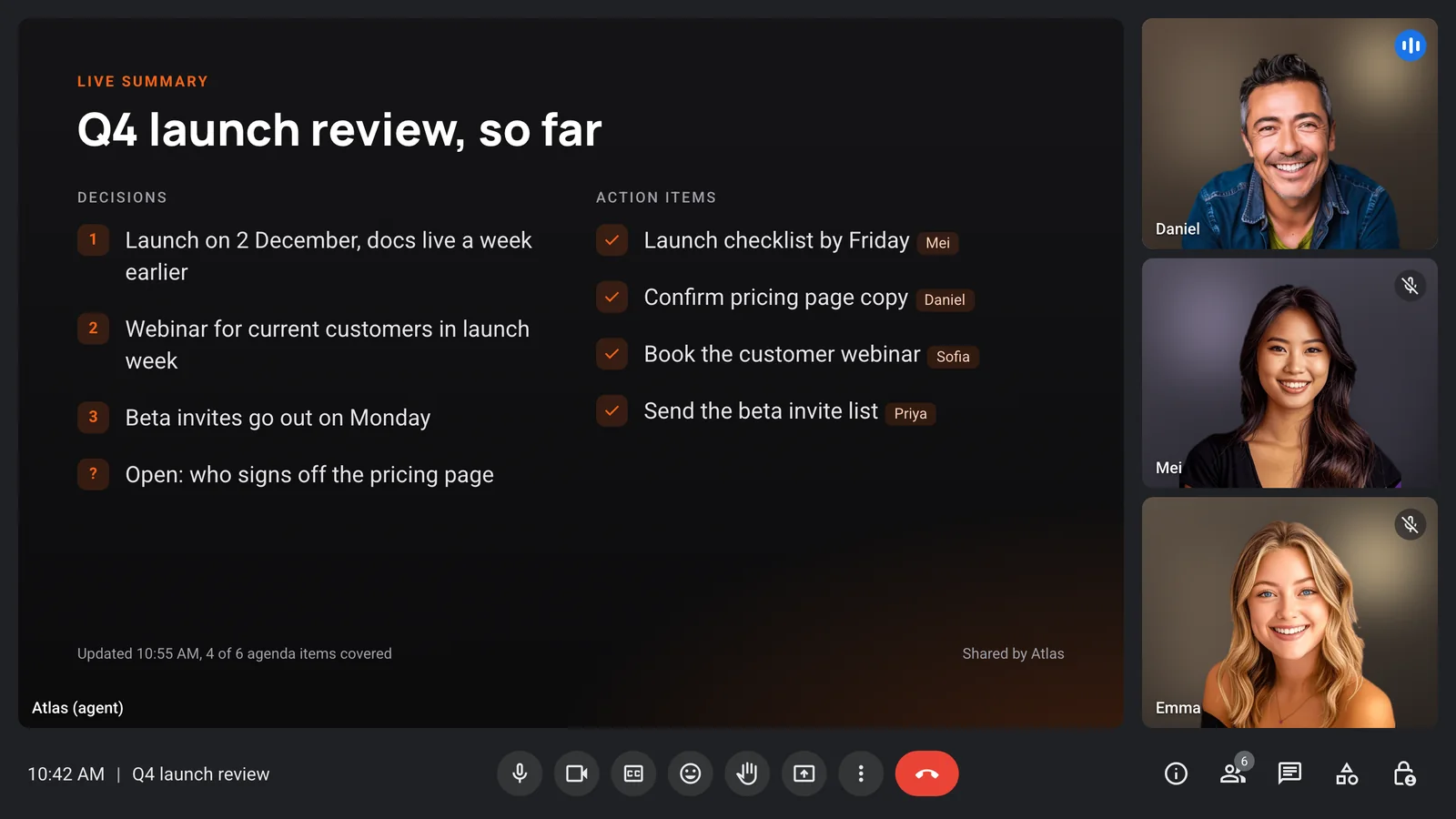
Show the room what Claude heard
The agent controls its own video tile. Send it an image, such as a live summary of decisions and owners, and everyone in the call sees it at once.
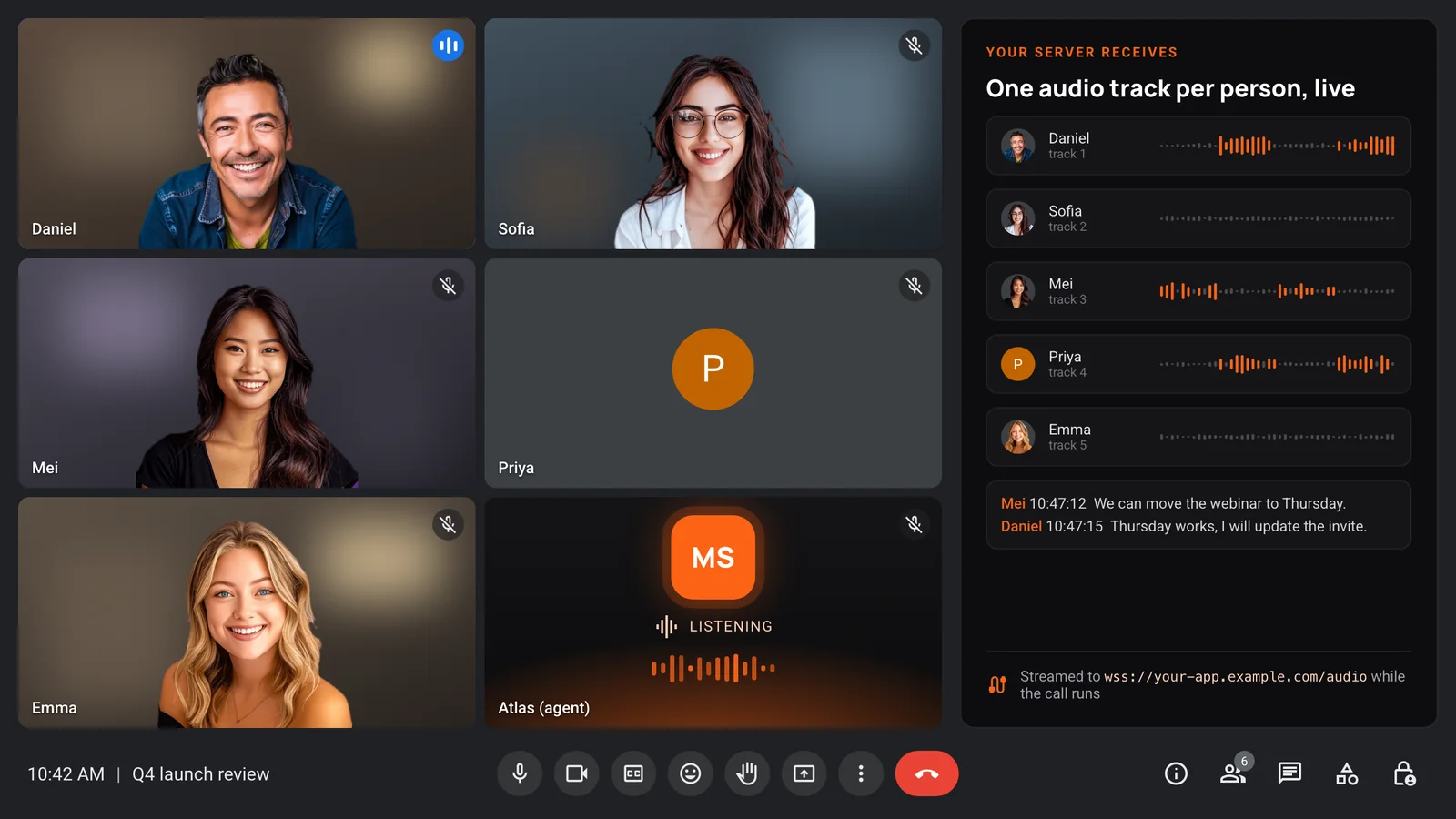
Every voice on its own track
On Google Meet, MeetStream can stream separate audio for each participant. Claude gets clean speaker names, and your server gets the raw audio too.
- One audio track per person
- Live transcripts with speaker names
- Streamed while the call runs
- Recordings with us or in your bucket
The same agent on Zoom and Teams
The request that puts Claude in Google Meet also works with Zoom and Microsoft Teams links. Platform sign-in rules are handled for you.
- Zoom, Google Meet and Microsoft Teams
- One request shape for all three
- Calendar auto-join for every call
- Lifecycle webhooks for each bot
Enterprise-level security, keep your data private.
The certificate, the audit status and the Trust Center are all on the security page.
Keep recordings with MeetStream, or write them straight to your own storage bucket.
Support on Slack, email and chat, with a response inside one working day.
Concurrent bots scale on their own. There is no cluster for you to run.


Got a question? We got the answer.
Common questions about platforms, models, voice and data.
Can I put Claude in Google Meet?
Yes. Claude Meetings brings Claude into Google Meet for Team and Enterprise plans. To run your own Claude agent inside your product, send the Meet link to MeetStream and choose Claude as the agent's model.
How fast does a Claude agent reply in Google Meet?
Claude runs in pipeline mode, where speech to text, the model and speech each run in turn. Realtime models, which run end to end with one provider, reply faster, so pick them when speed matters most.
Does the agent need a Google Workspace account?
No. The bot can join as a guest that the host admits. Signed-in joins are also possible, through a Google Workspace domain you register for the bot.
Can Claude see who is speaking?
Yes. Transcripts carry speaker names, and on Google Meet each participant can arrive on a separate audio track.
Can the agent show something on screen?
Yes. The agent sets its own video frame. Send an image, such as a summary or a chart, and it appears in the agent's tile for everyone.