An AI agent for calls with external guests
Claude Meetings with external guests depends on your plan and admin settings. MeetStream agents join sales calls, interviews and partner calls, and stay when outside guests arrive, on Zoom, Google Meet and Microsoft Teams.
The calls with outside guests are the valuable ones
Sales calls, interviews, customer reviews and partner calls are where notes, answers and follow-ups matter most. They almost always include people from another company.

Coaching cues and CRM updates while the deal is live.
Notes per candidate, with each voice kept apart.
Answers and follow-ups for every account review.
Decisions and owners across both companies.
An outside guest joins, the agent stays
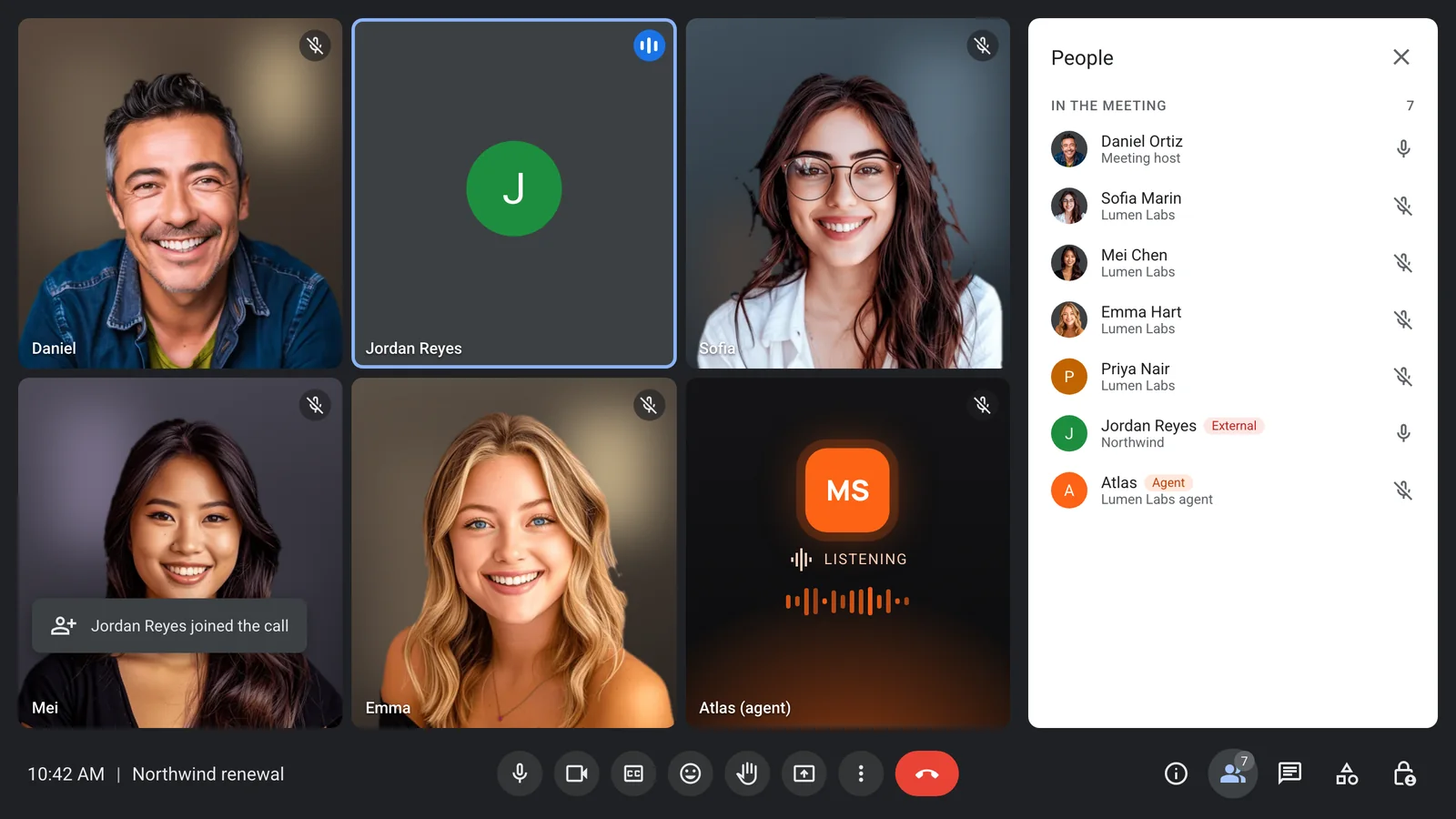
Here a guest from another company joins the call. The agent stays, keeps listening, and goes on taking notes for the meeting.
- Works with any guest list
- Stays when guests join
- Joins once the host admits it
- Your rules on when it leaves
It tells the room who it is
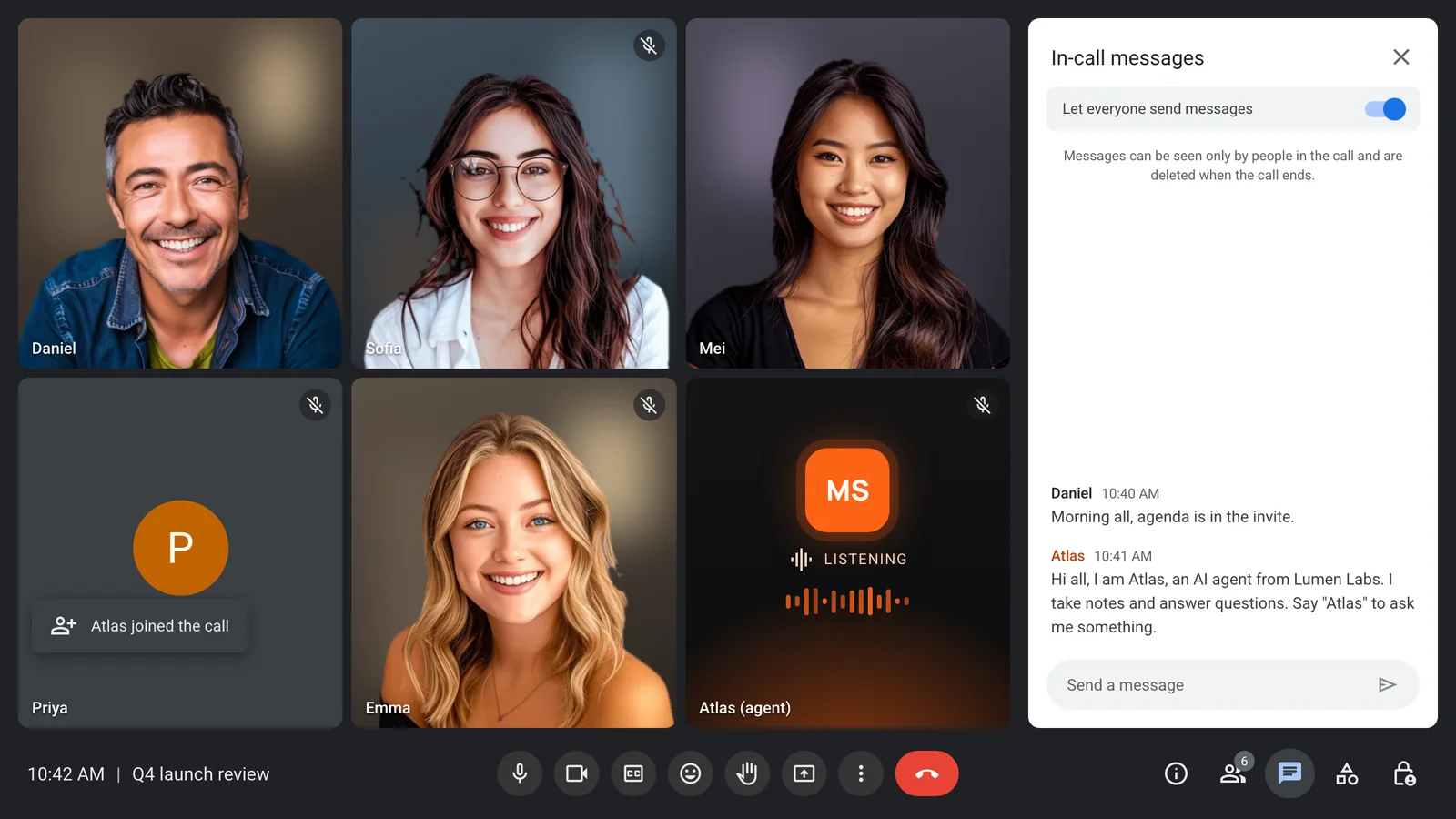
With outside guests, being clear matters more. The agent posts a notice in the chat when it joins, so everyone knows it is there and why.
- A notice you write
- A clear agent name
- Posted the moment it joins
- Visible in the call grid
Each voice kept apart
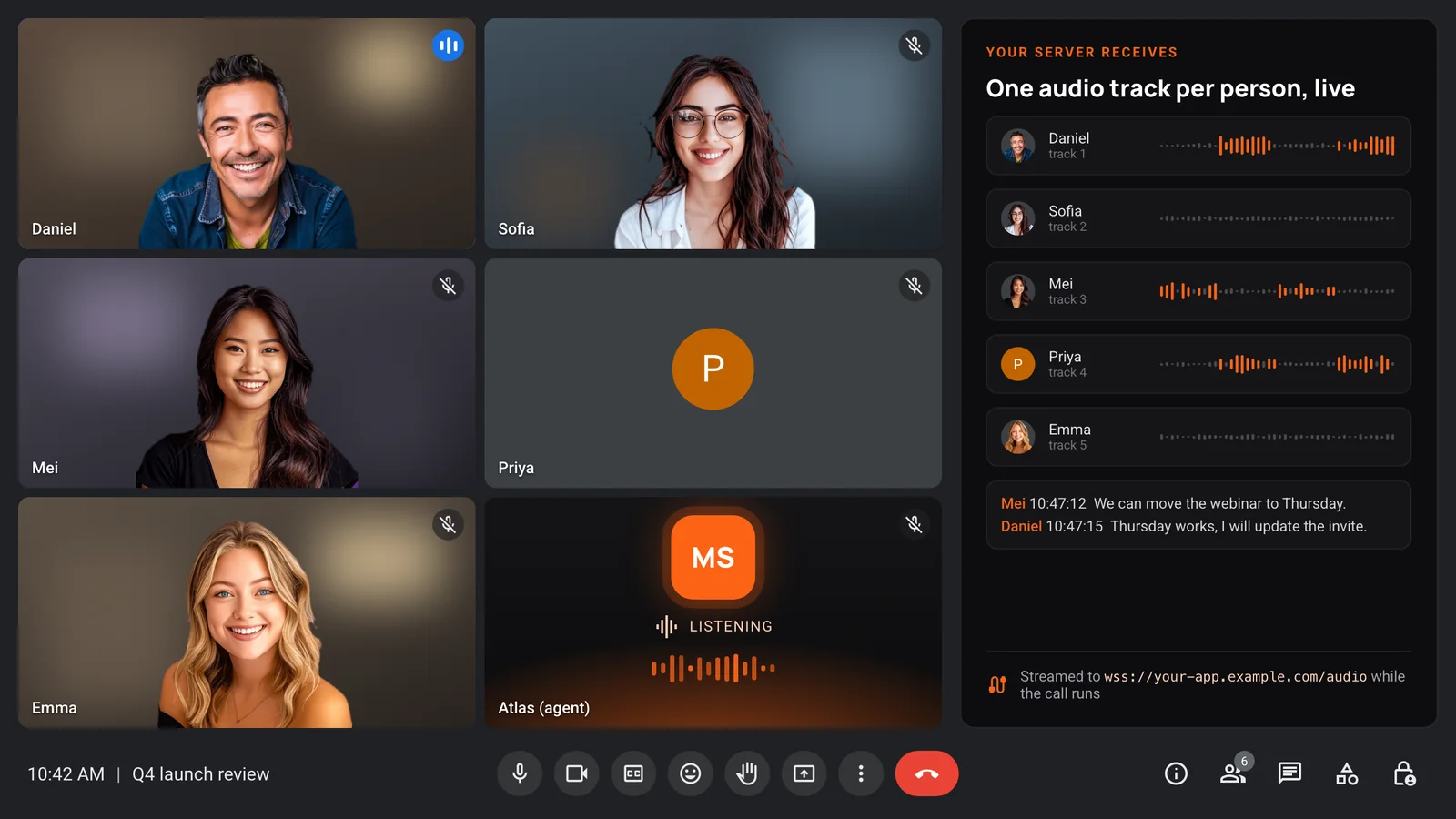
With separate audio per participant, a customer's words arrive on a different track from your rep's, so notes and coaching can quote the right person.
- One audio track per person
- Speaker names in every transcript
- Clean quotes for follow-ups
- Recordings in your own bucket
You decide where the data goes
Keep recordings with MeetStream, or have them written straight to your own storage bucket with your own retention. Your product decides what guests are told.
- Stored with MeetStream
- Or your own storage bucket
- Retention you set
- Webhooks for every bot event
Enterprise-level security, keep your data private.
The certificate, the audit status and the Trust Center are all on the security page.
Keep recordings with MeetStream, or write them straight to your own storage bucket.
Support on Slack, email and chat, with a response inside one working day.
Concurrent bots scale on their own. There is no cluster for you to run.


Got a question? We got the answer.
Common questions about platforms, models, voice and data.
Does Claude Meetings work with external guests?
By default, Claude Meetings stays out of calls with people from outside your organisation and leaves if one joins. The default depends on the plan, and an admin can change it.
Will a MeetStream agent leave when a guest joins?
No. The agent stays when guests from other companies join. It leaves when the meeting ends, when you remove it, or on leave rules you set.
How do guests know the agent is there?
The agent appears in the call under a clear name and posts a notice in the meeting chat when it joins. You write the notice.
Which platforms support this?
Zoom, Google Meet and Microsoft Teams. On Microsoft Teams, a tenant admin can choose to block detected external bots, so it is worth checking with the host's IT team.
Can I keep each guest's audio separate?
Yes. Per-participant audio puts each person on their own track where the platform allows it, so transcripts and notes can quote the right speaker.
Bring an agent to the calls that matter
Sales, interviews and partner calls on every platform.